A platform with a lot of jobs and one look to hold them together.
Navigate's platform is where an employer's wellbeing program lives. People join step and self-report challenges, form teams, read their biometric screening results, take a survey across eight pillars of wellbeing, enroll in courses and coaching, and find the company's own resources.
The screens carry a placeholder logotype and company name. The brief was narrow on purpose: keep the typeface and the colours, and make the layout better. The refresh puts Navigate's own wordmark in the header, as it appears on the company's site and the home page design.
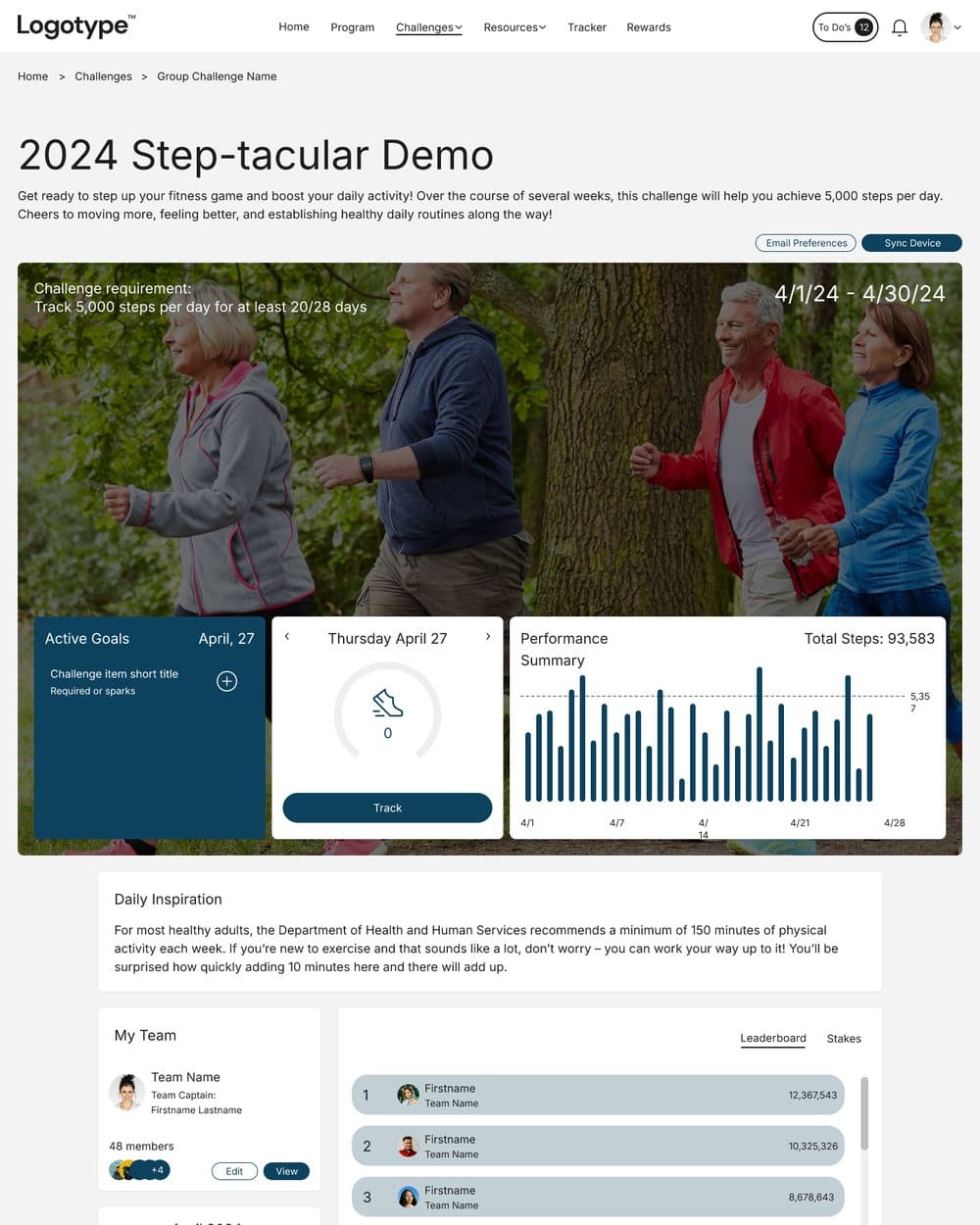
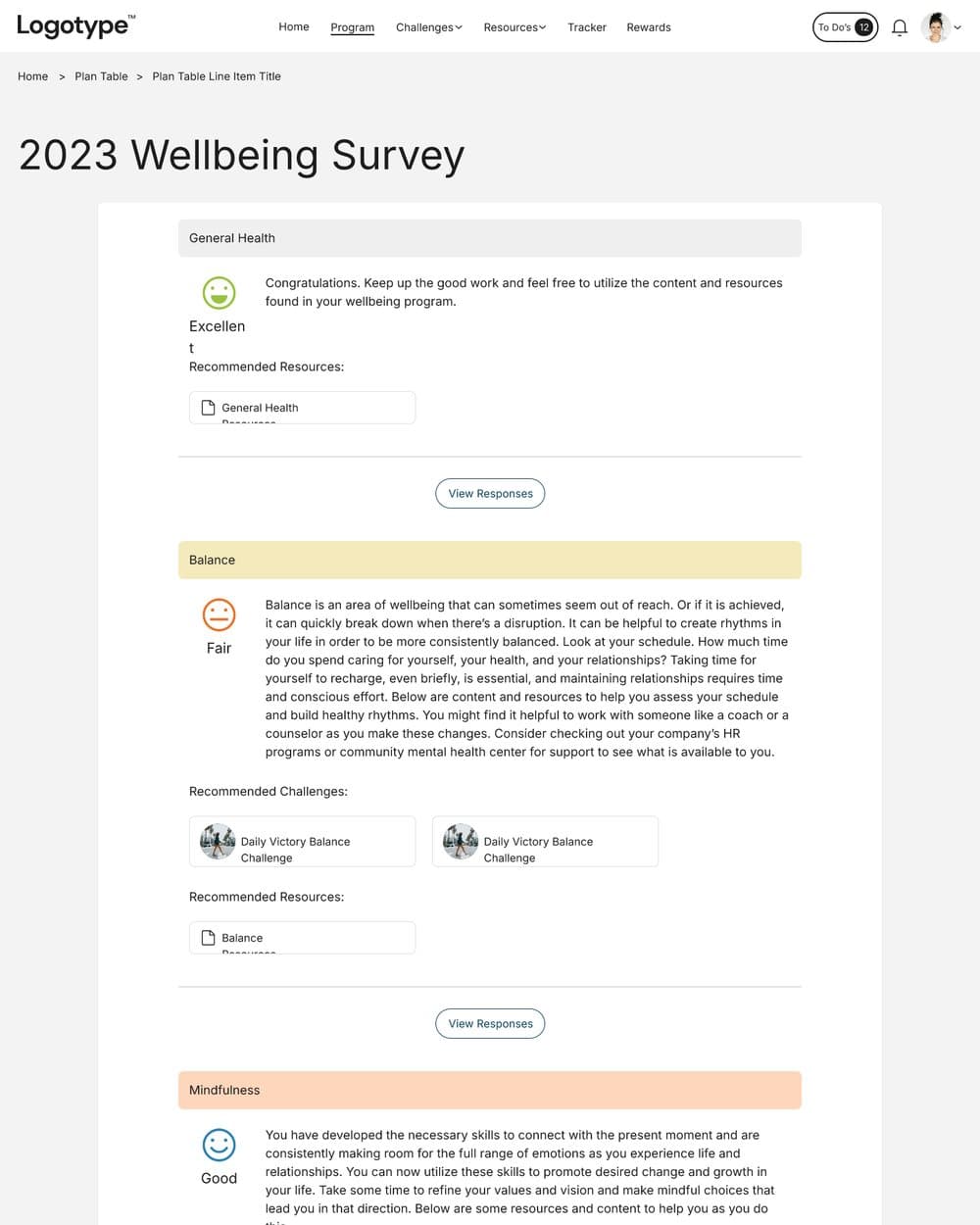
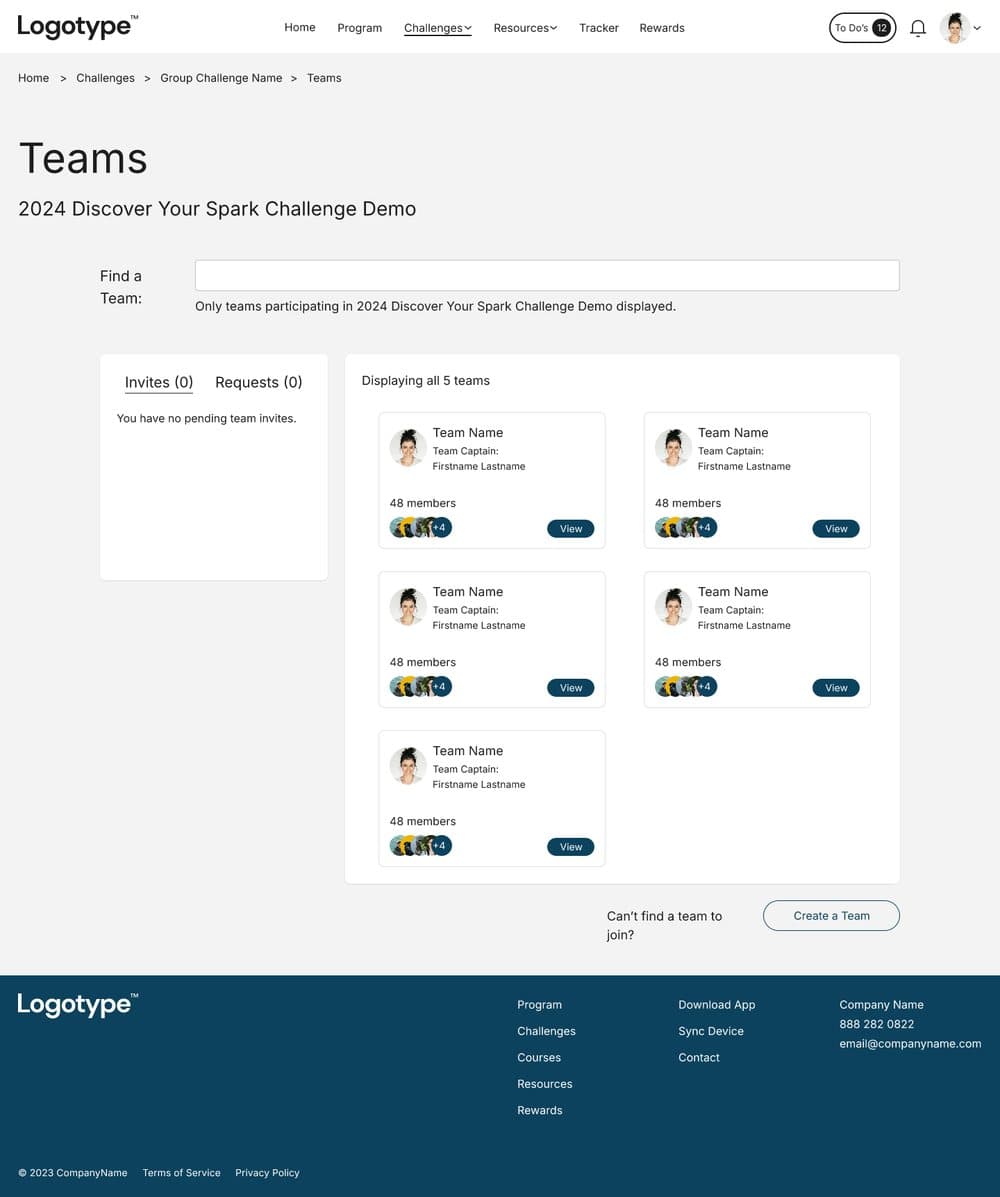
Good components, uneven pages.
The pieces were there: pill buttons, white cards on a light grey ground, a navy footer, DM Sans in two weights. What varied was how they were put together. Page headers sat at different heights, cards in the same row had different heights, and the space between things changed from screen to screen.
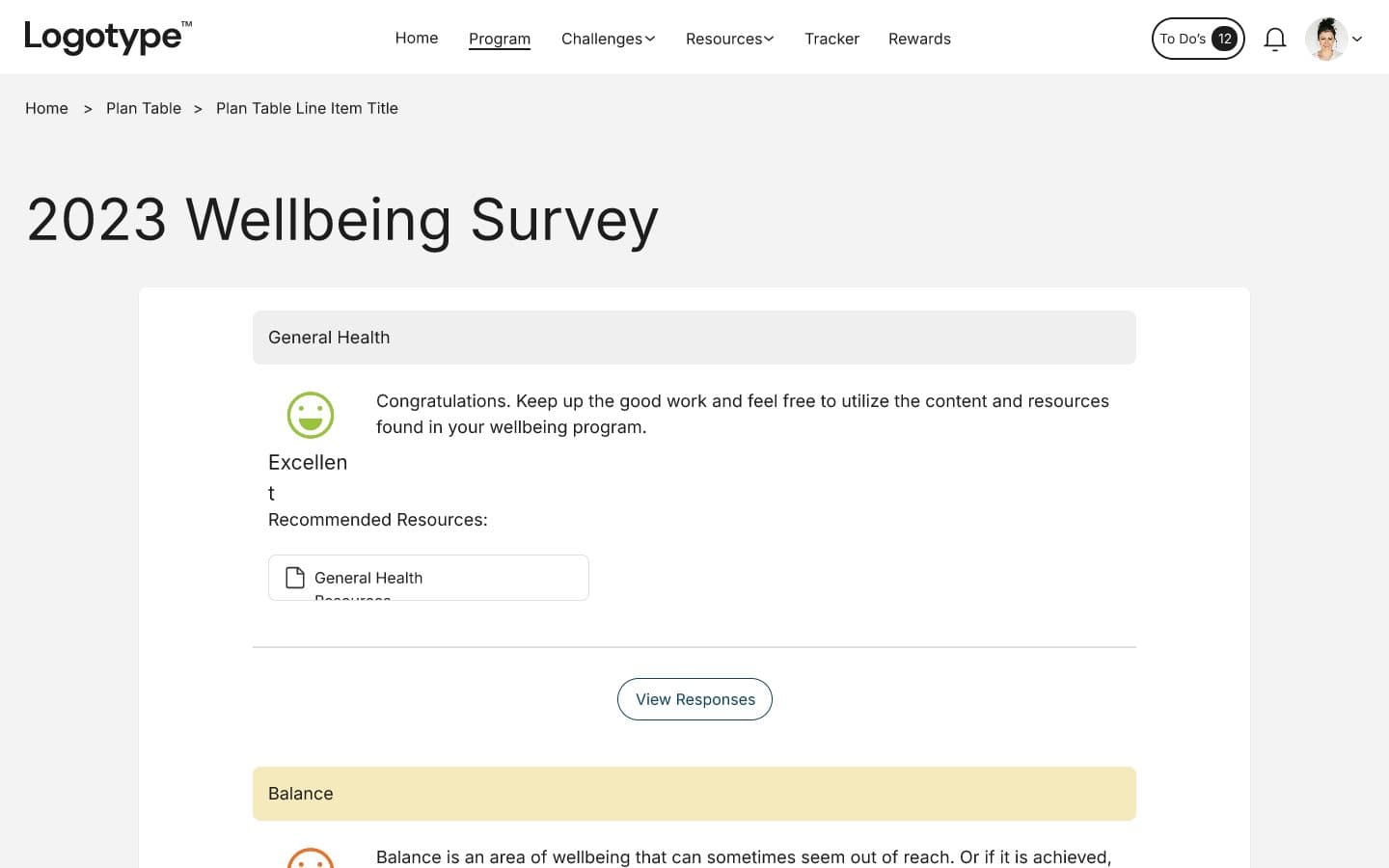
Some problems were plain to see in the file. The calendar's weekday labels were too narrow for their text and wrapped letter by letter. On the survey results, Excellent broke in two. The challenge description was one block of text with an empty fifth list item. Course cards showed Category and Chapters as words with no values after them. Pagination wrapped Back onto two lines.
Structure
- No shared container width or column rhythm
- Page titles, actions and breadcrumbs placed differently on each screen
- Long content set as one text block
Hierarchy
- A 60px title over 16px body with little in between
- Labels and values set in the same size and weight
- Risk shown by colour, with the word in a lighter weight below
Controls
- View and Details buttons about 24px tall
- Filters with no selected state
- Form fields with labels, hints and limits in the same grey
Four rules for a refresh that keeps the brand.
Nothing new to learn
Same typeface, same colours, same radii. Someone who used the platform yesterday should recognise every screen.
One page shape
Breadcrumb, title, one line of context and the page's actions, in the same place on every screen.
Numbers you can scan
Tabular figures, units beside values, right-aligned columns, and a word next to every colour.
Targets you can hit
Buttons 44px tall, 36px at the smallest, with hover, focus and disabled states drawn once and reused.
The brand the files already had, given a system.
The files used DM Sans for reading and Roboto Serif for card and group titles, a navy and a run of greys, green, gold and red for risk, and a light blue and teal that appear only in the mark. I kept all of it and gave each colour a job: navy for actions and the current item, ink for text, muted grey for secondary text, and the light blue only for the logo and decoration, since at 1.4 to 1 it cannot carry text.
Type settled into six roles: a welcome line, two serif titles, a lead, body and small. Tags, buttons, progress bars and radii follow the home page file. Layout settled into a 1200px container on twelve columns with 24px gutters, and a 4px spacing scale that every margin and padding comes from.
Columns in a 1200px container
Type roles, two families
Navy on white, for actions
Button and input height
A challenge page that answers today first.
The original put the requirement, the dates and three stat cards over a photo, then a calendar, a leaderboard and the full challenge text in a column. The refresh keeps every part and gives each a place. The photo, under the same flat dark overlay as the home page, carries the requirement and where you stand. Today's steps, active goals and the month's performance sit in a row of equal cards beneath it.
The leaderboard became a real list, with rank, avatar, name, team and a tabular total, and your own row set in navy. The description became four short sections: dates, weekly themes, how to participate, how to complete.
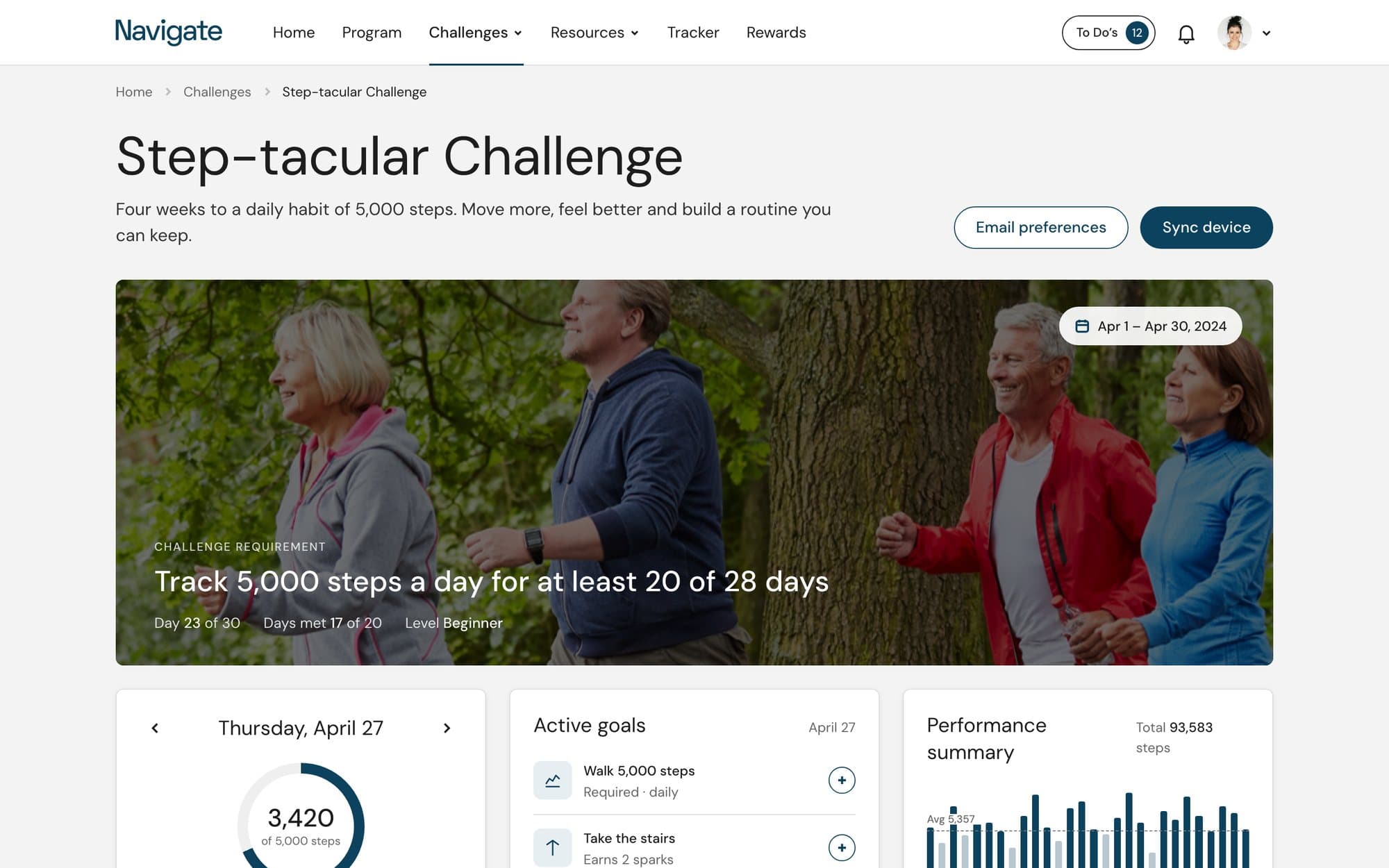
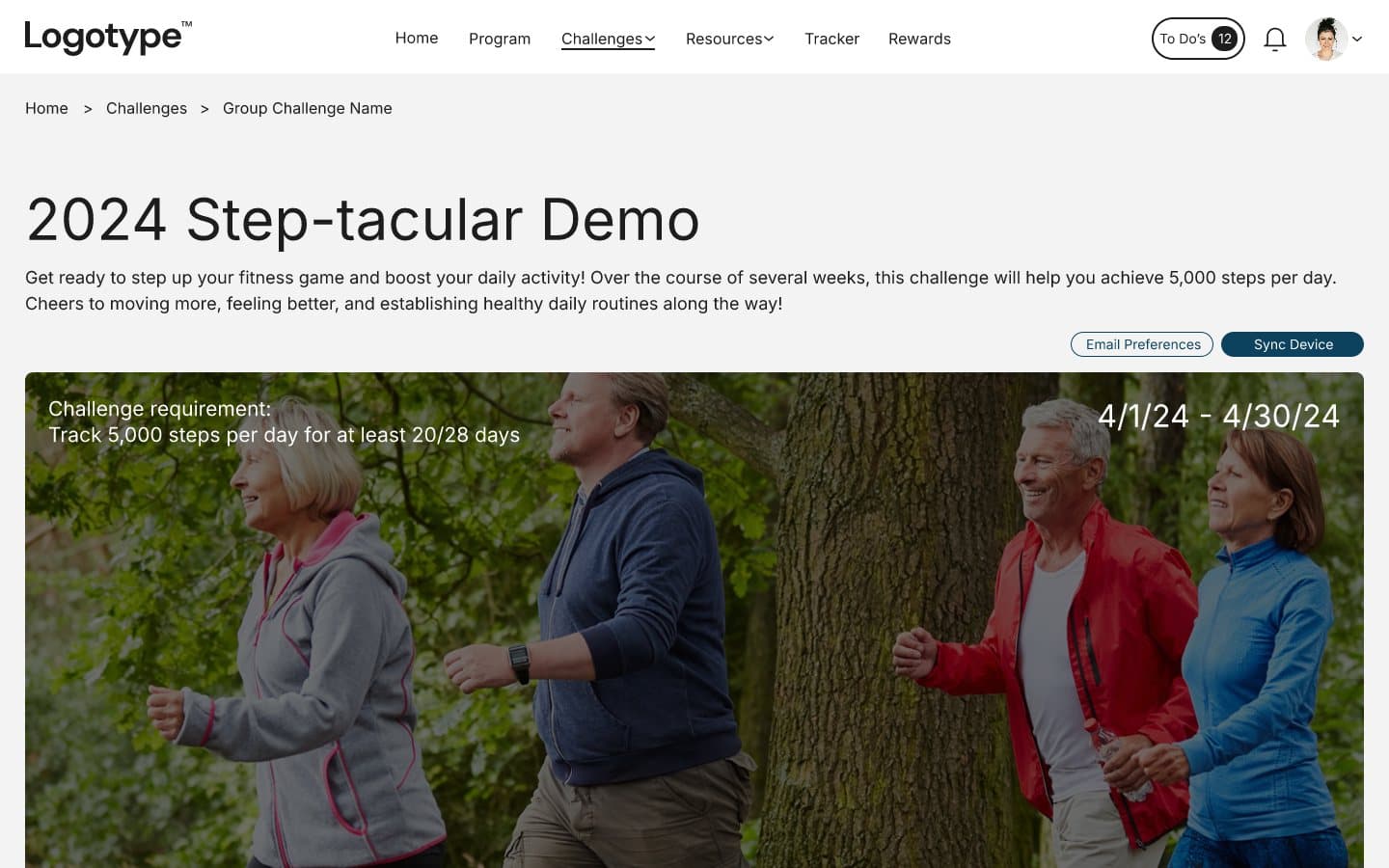
Stats off the photo
The three cards no longer compete with the image. Each has room for a ring, a goal list or a chart with an average line.
A calendar that fits its labels
Mon to Sun on one line each, a dot on every day the goal was met, and the count written under it.
The description in sections
Dates in a definition list, themes as a numbered list, and the rules in two short paragraphs with a link to the guide.
Twelve results, one glance.
Biometrics showed twelve cards and a table, each card with its own layout of icon, risk and value. The refresh adds a summary band first: how many results are low, medium and high risk, and the one that needs attention. The cards share a single shape, with the value large, the unit beside it and a risk pill that says the word as well as the colour.
The table gains a previous-screening column and a change column, so a result can be read against its range and against last time.
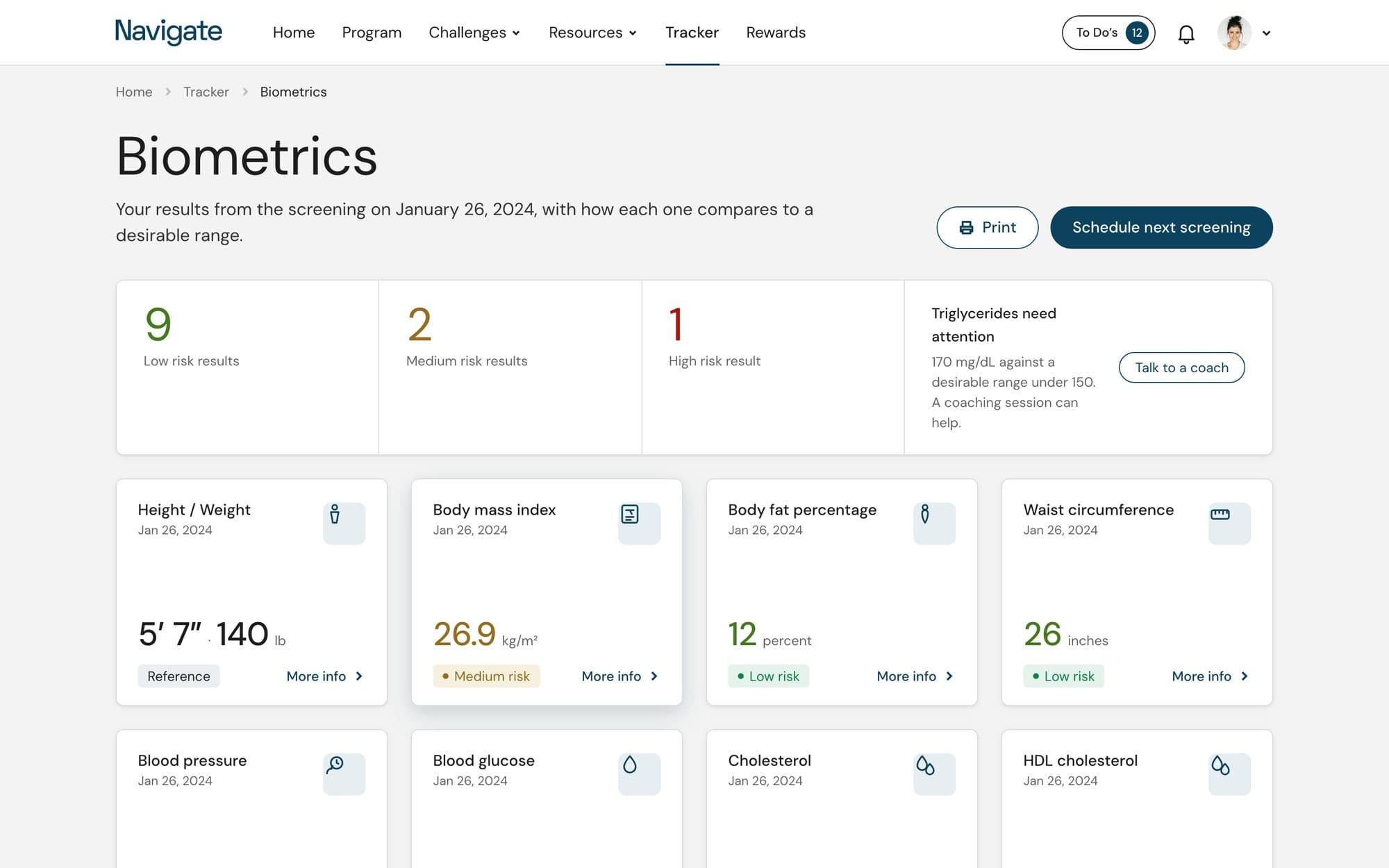
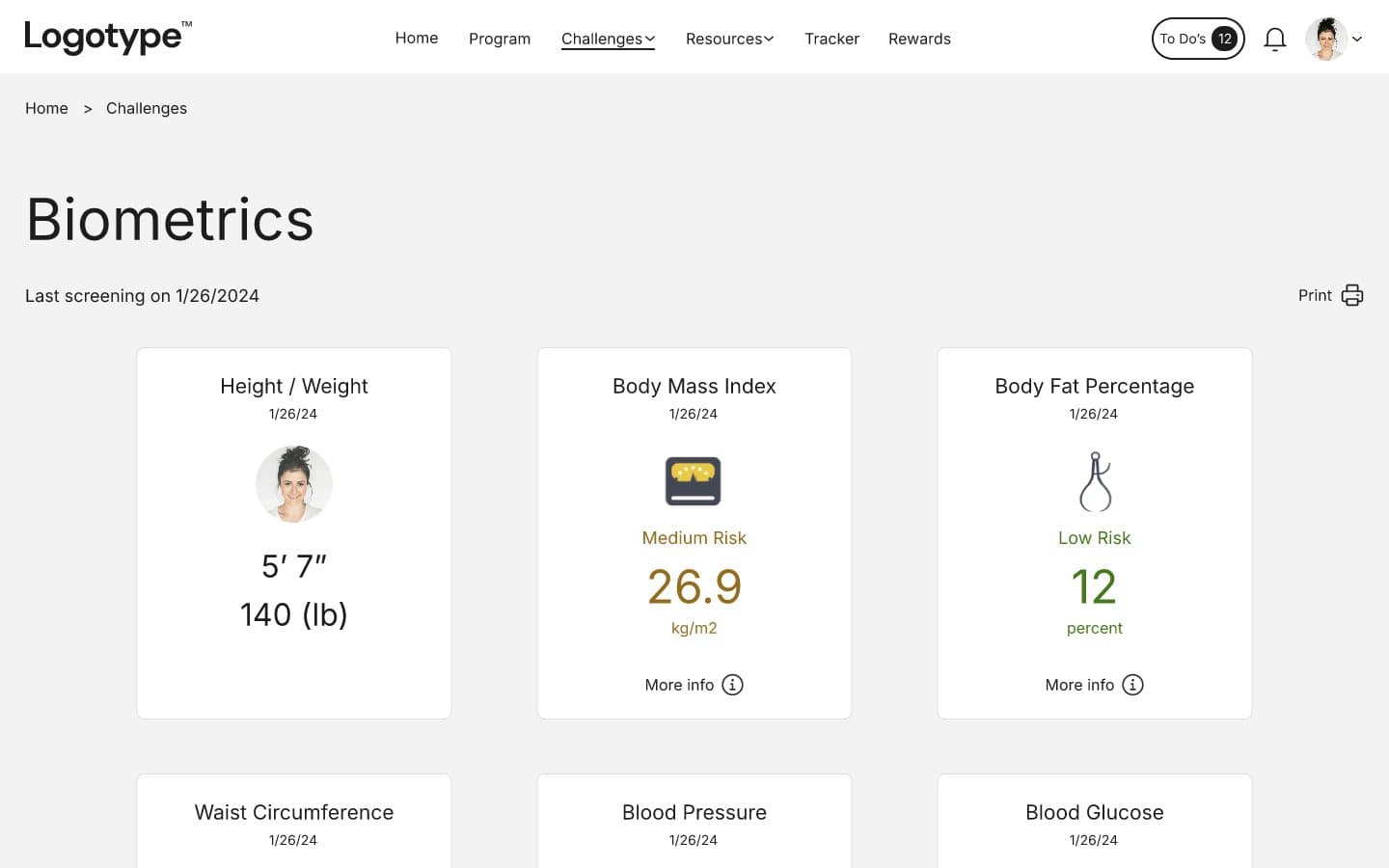
Cards that say what they hold, results that start with the score.
The course index kept its three-across grid and its photos. The toolbar became one row: search, filters that show when they are set, and a reset. Each card now states its category, chapter count and length, shows progress for a course you have started, and keeps Details and Join on the same baseline whatever the title length.
The survey results open with a scorecard of all eight pillars, so the page can be read in a second before anyone scrolls. Each pillar below keeps its colour as a band at the left edge and sets the recommended challenges and resources in a column of their own.
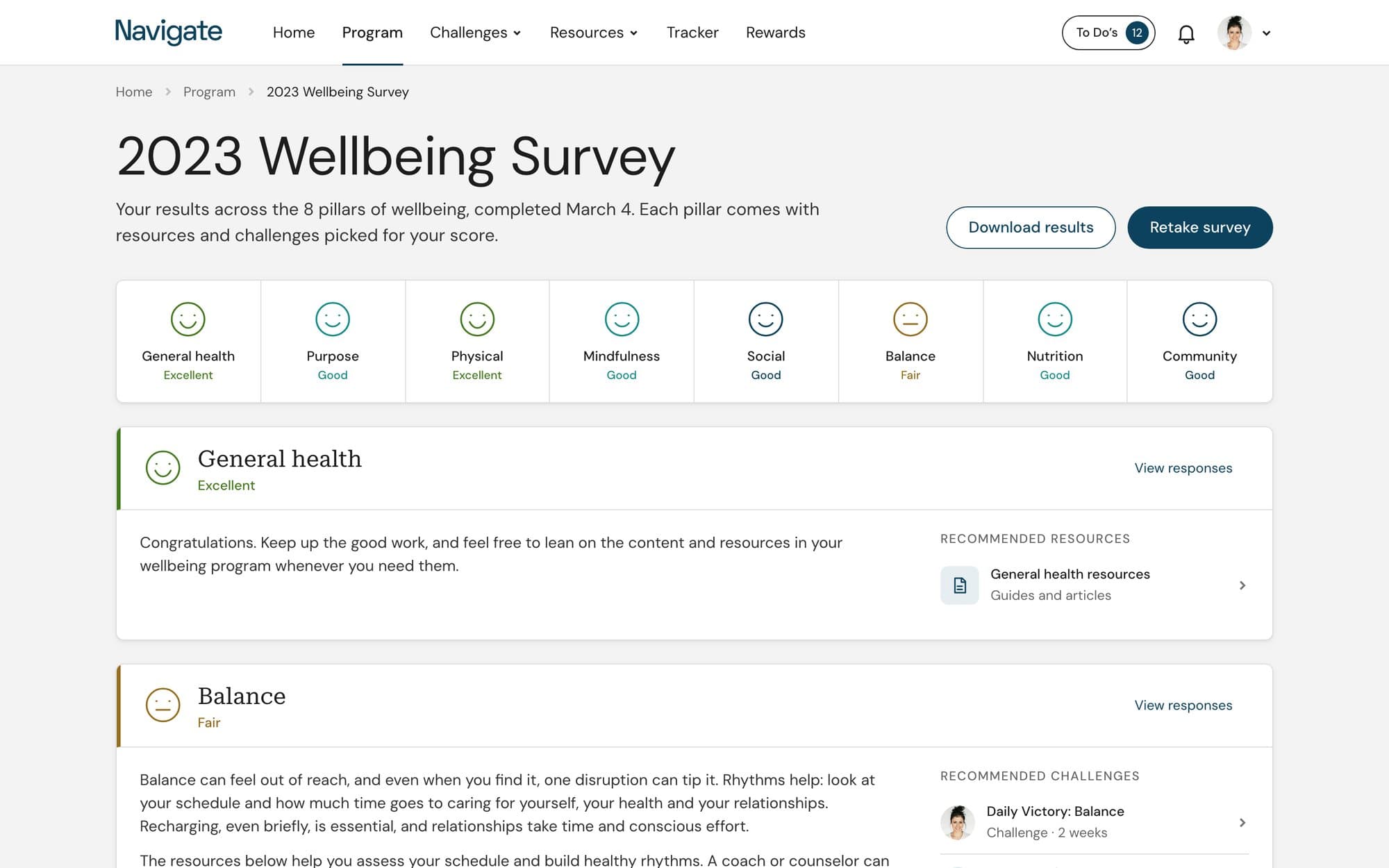
The same page shape, four more times.
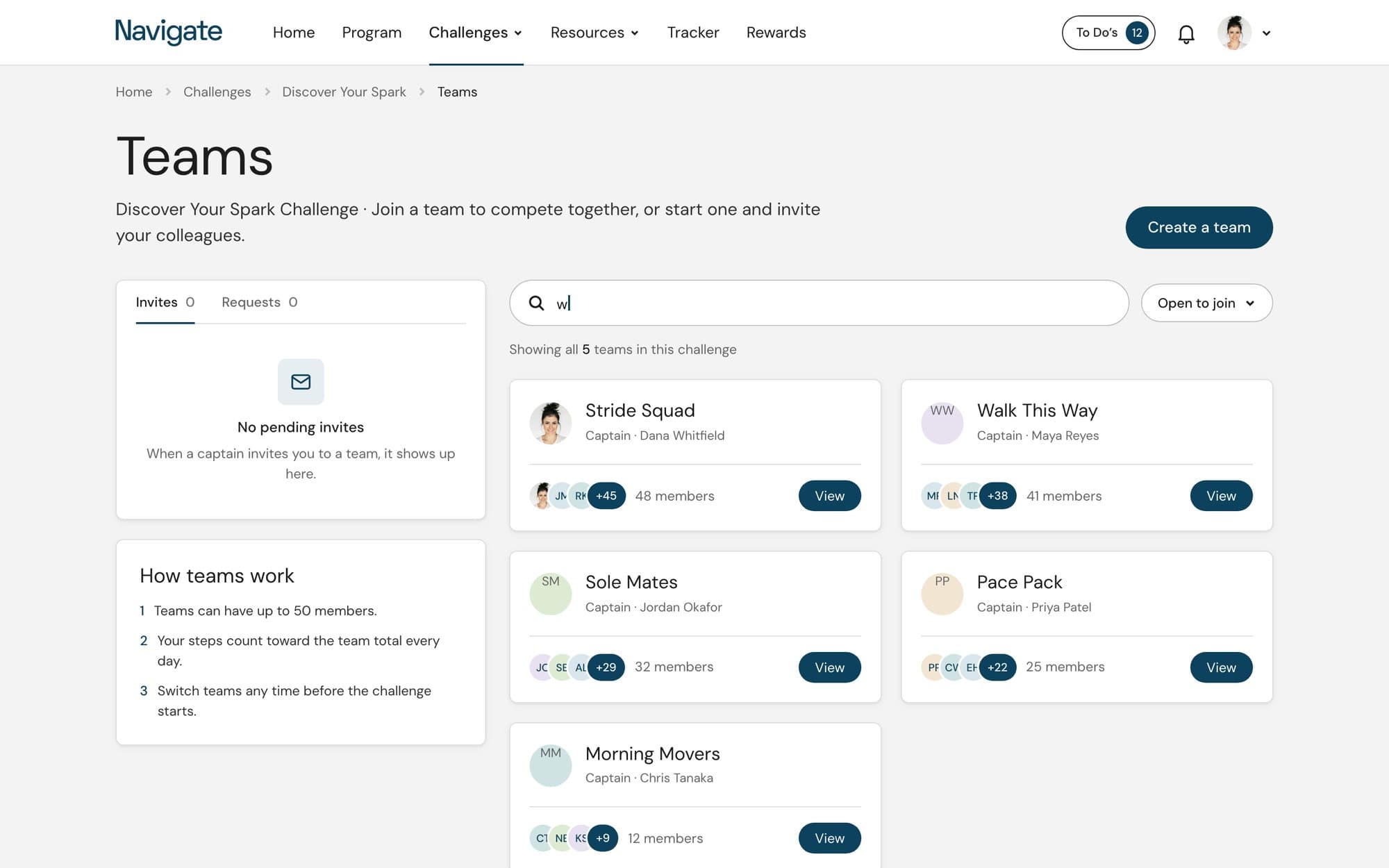
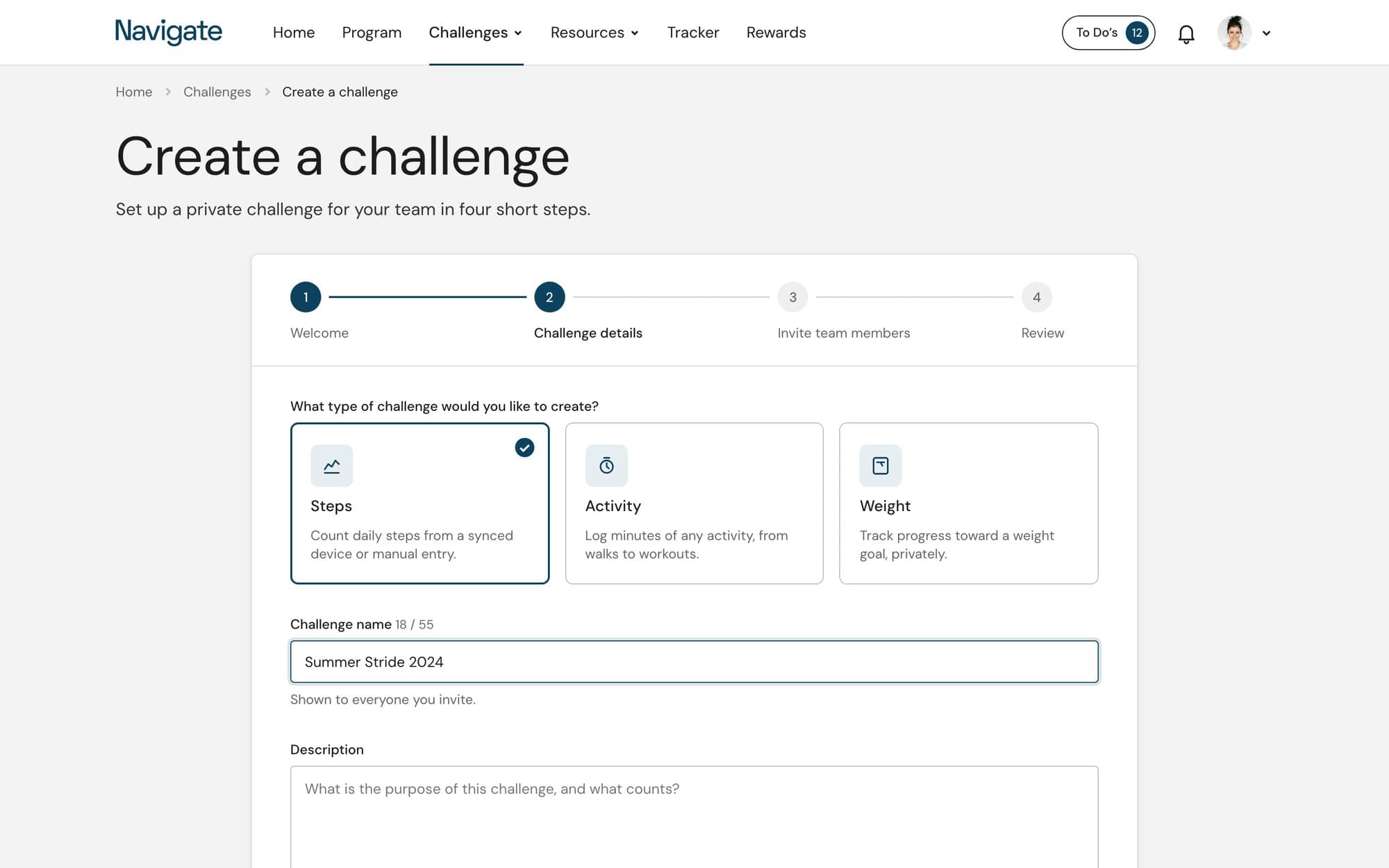
Teams, the challenge wizard, coaching and the resource hub each had their own arrangement. They now share the header, the container and the card. Teams gets a search field with a filter beside it and two team cards per row with the members and the View button on one baseline. The wizard keeps its four steps and puts the challenge types in three selectable cards with a description each.
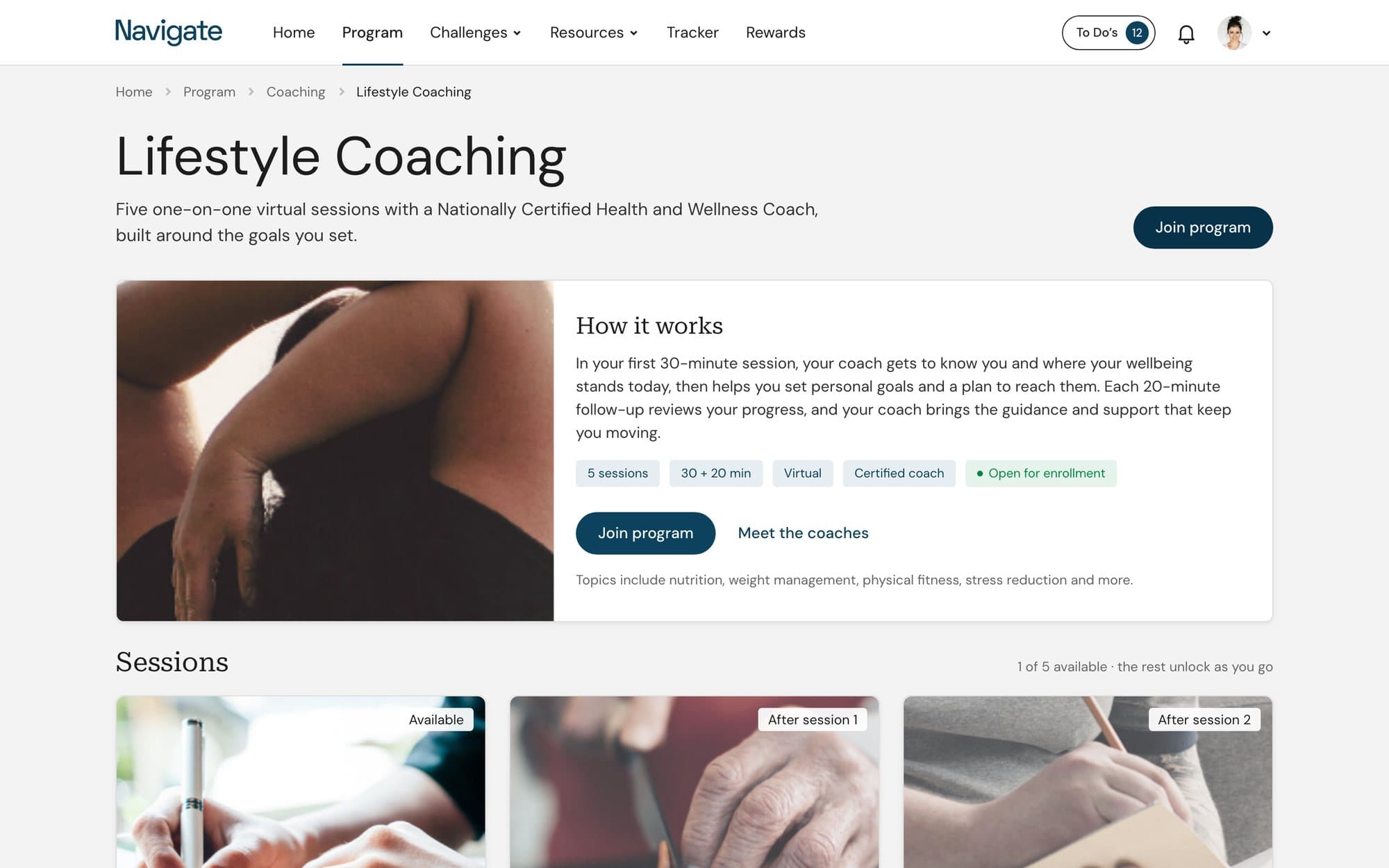
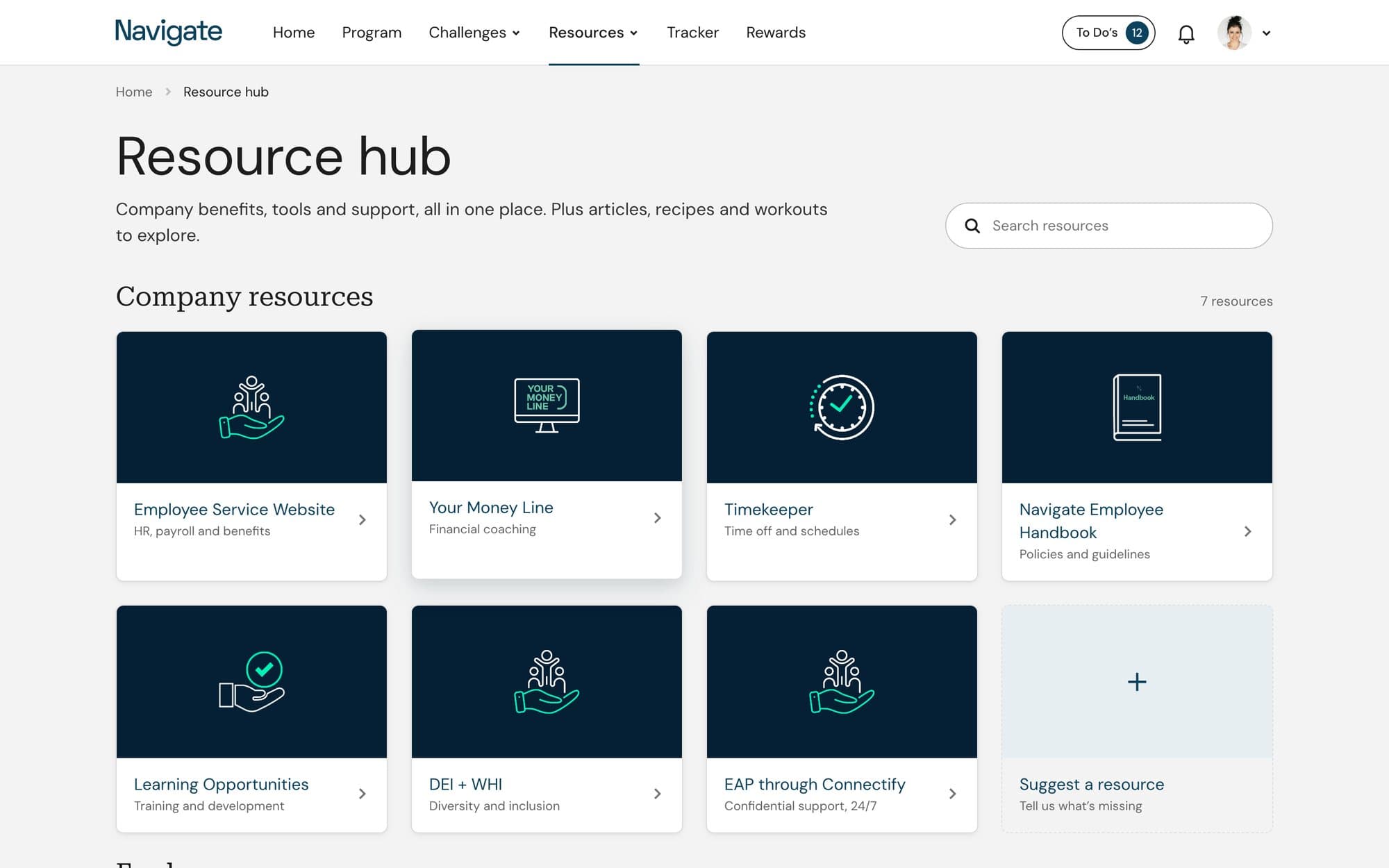
Coaching leads with how the program works and sets the sessions as a row of cards whose state, available or locked, is written on the image. The resource hub keeps its seven illustrated tiles on a four-column grid and adds a place to suggest one.
Every state drawn once.
The original buttons came in one state. The refresh draws the large primary button, the outlined action label and the text link in default, hover, focus and disabled, at 44px and 32px with the file's 24px radius. Tags follow the home page: Complete, Incomplete and Pending, each a word on a tint. Program rows, sidebar buttons and form fields put the label first and write the message out when something is wrong or right.
The Rewards card on the home page is one shape: a serif title, one large number and the action. The same shape holds a progress count or a points total elsewhere, and each part comes from a token, so a change to the navy or the radius reaches every card on desktop and on the phone.
Thirteen phone screens, built from the same parts.
The file had no phone layouts. Each refreshed screen was designed at 390px alongside its desktop version, with a status bar, a back header for inner pages, full-width buttons and a tab bar for the five main sections. Five more screens came from flows the desktop page implies: the team page, the leaderboard, today's tracking, a survey question and the coaching index.
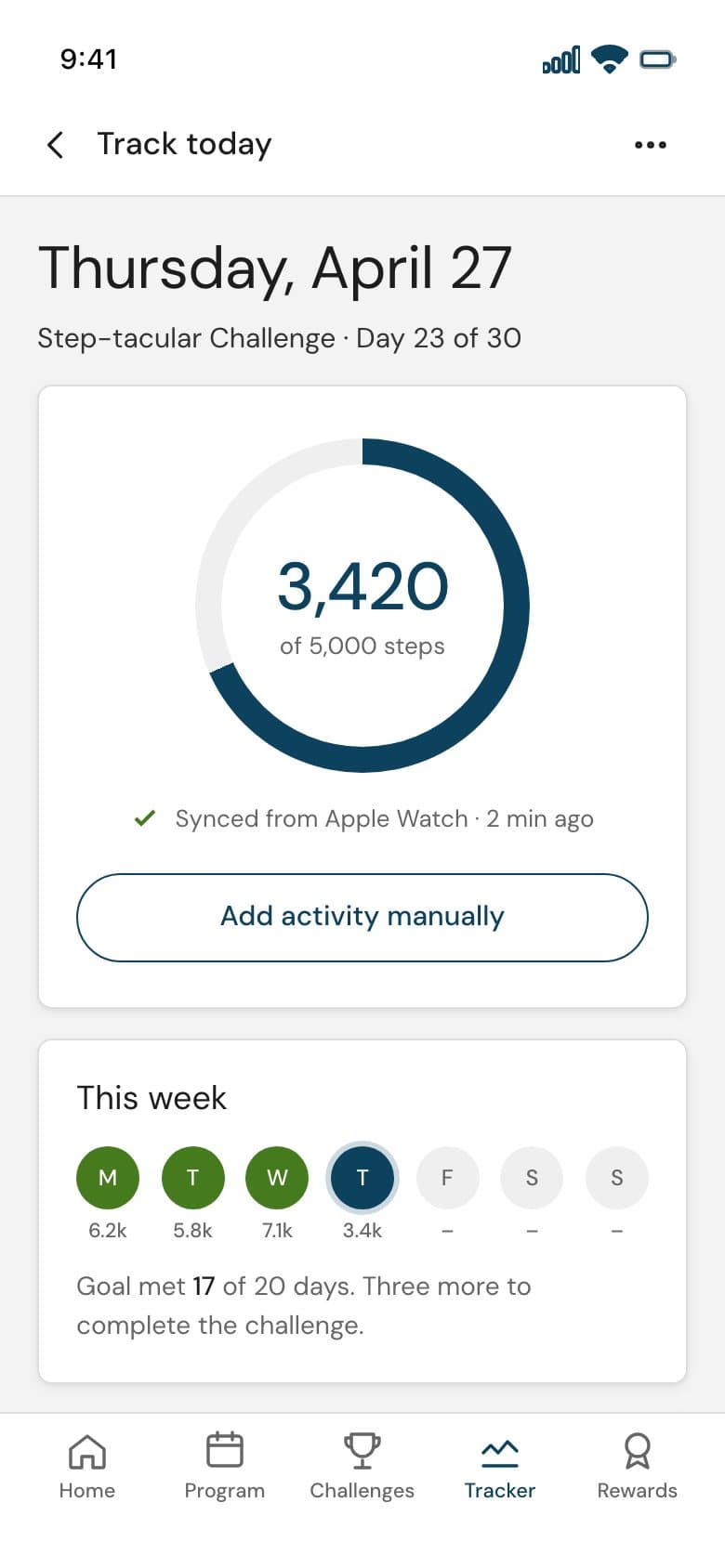
Today's steps
A ring for the day, the week at a glance and the to-dos that earn sparks.
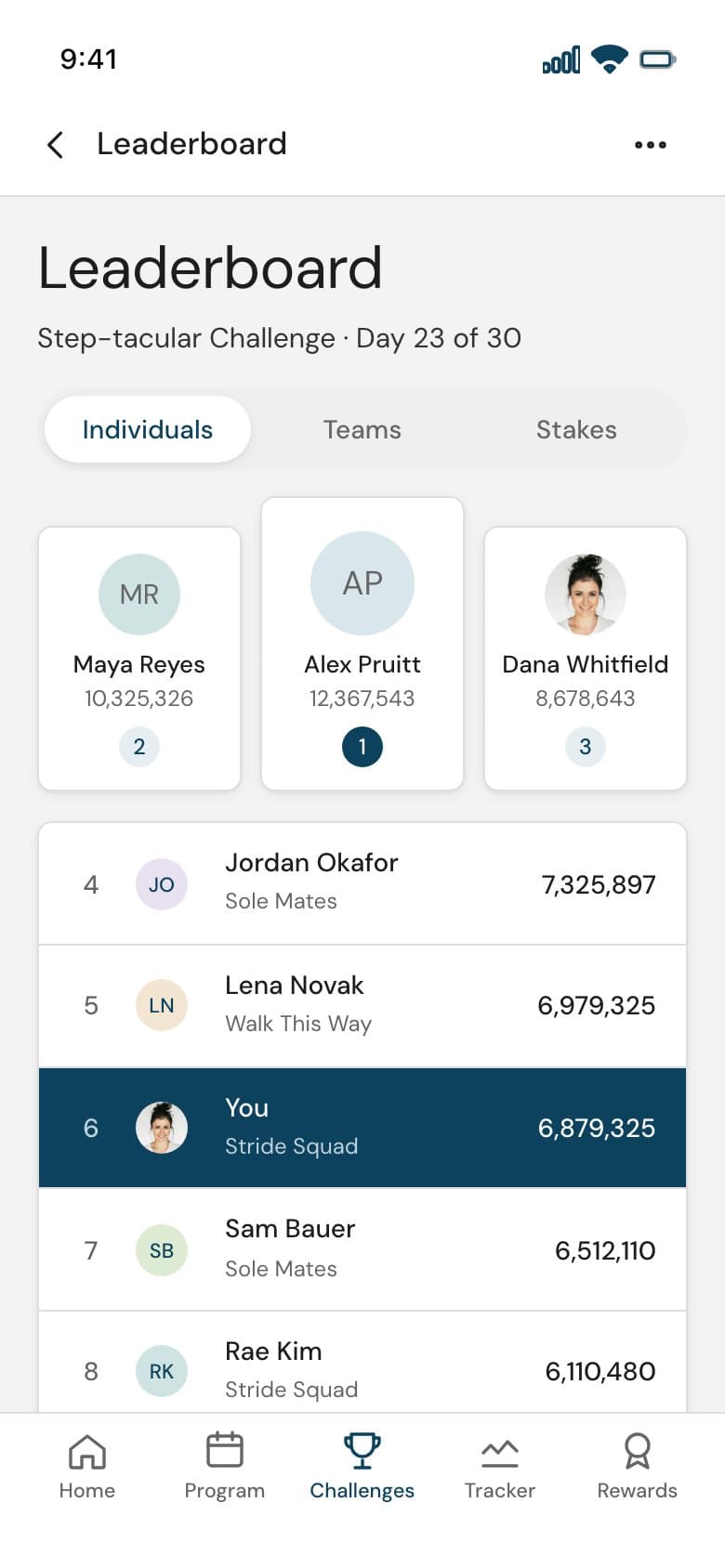
Leaderboard
A podium for the top three, your row in navy, and how far you are from the next place.
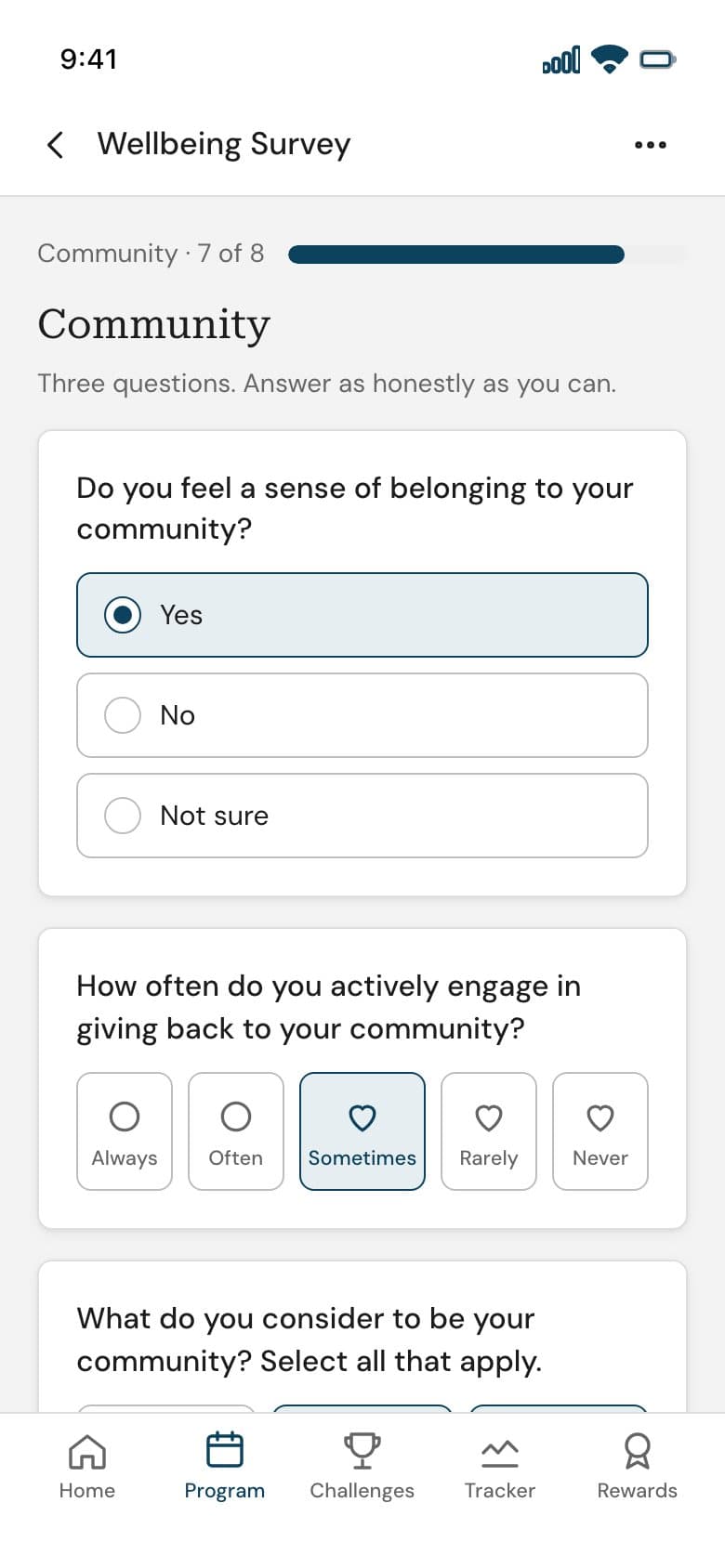
Survey question
One pillar at a time, with the progress bar and large option tiles.
A platform that looks the same and works better.
Nothing about the brand changed. The typeface, the palette and the corner radii are the ones in the file. What changed is the structure: one container, one grid, one spacing scale, one page header, components with their states, and a phone version of every screen.
Desktop screens refreshed
Phone screens designed
Typefaces, both from the files
Colour roles from the files' palette