The tool that tracks the work behind the roadmap.
S&P Global Market Intelligence plans its platform work the way a lot of large engineering organisations do: strategic themes break into EPICs, EPICs into MVPs, and funded work runs as master projects inside program increments. Each record carries a lean business case, a WSJF score, OKRs, cross-divisional dependencies, risks, comments and an approval history.
The tool that holds all of that is internal. Its users are portfolio owners, sponsors and the review boards that decide what gets funded, and they live in it: a reports hub, a record with nine tabs, and tables everywhere.
Four rules for touching nothing and changing everything.
The palette and the type stay
S&P red #D6002A, the black rail, grey #535353 for text, the grey ramp, Roboto Regular and Bold. Nothing new unless a job had no colour at all.
SAFe words are the users' words
EPIC, MVP, master project, PI, ART, WSJF, value stream. The labels stay as the teams say them; only where they sit changes.
Dense is fine. Unaligned is not
These are review-board screens. The fix is alignment, grouping and hierarchy, not fewer things on the page.
A companion, not a port
The file had no phone screens. The ones added cover what someone checks between meetings: a record, its score, its risks, an approval.
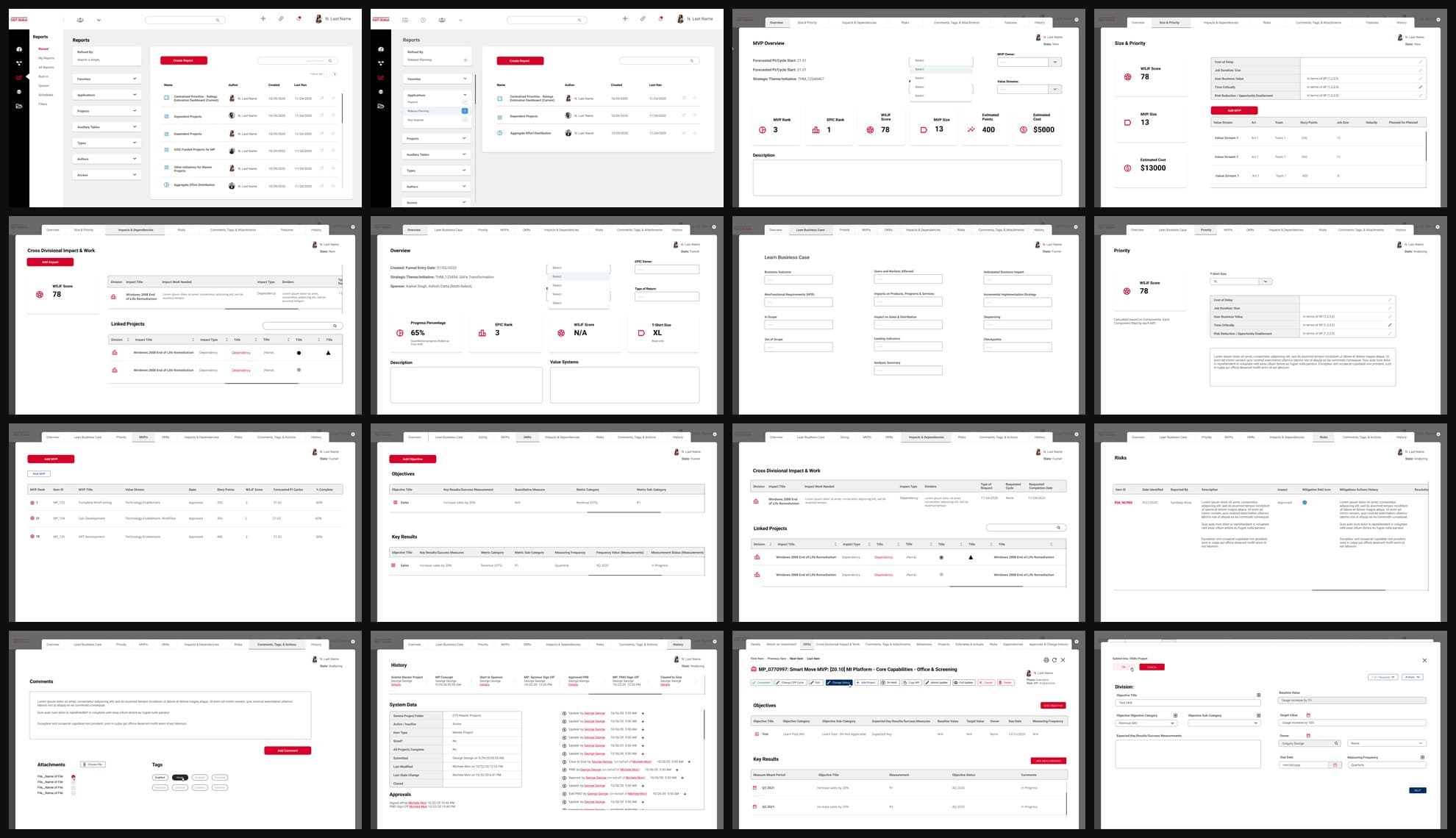
Twenty-two frames, and a lot of placeholder.
I read the file before drawing anything: 22 frames at 1920 by 1079, 16 of them distinct, and 1,537 text layers. Roboto carried most of the type, but Open Sans, Inter and IBM Plex Sans had crept in, and 17 px was the size of three text layers in four, whether it was a page title, a label or a table cell.
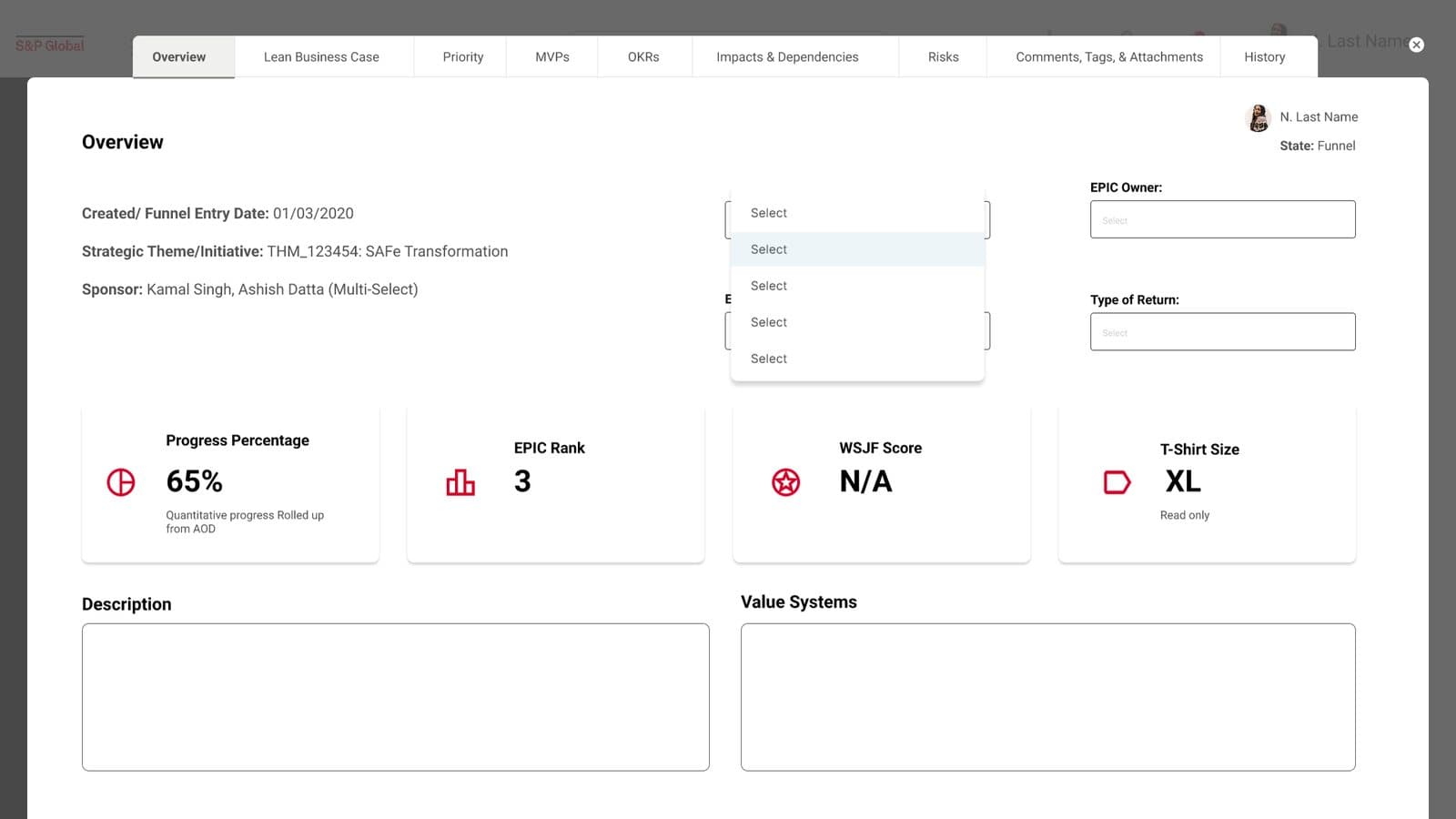
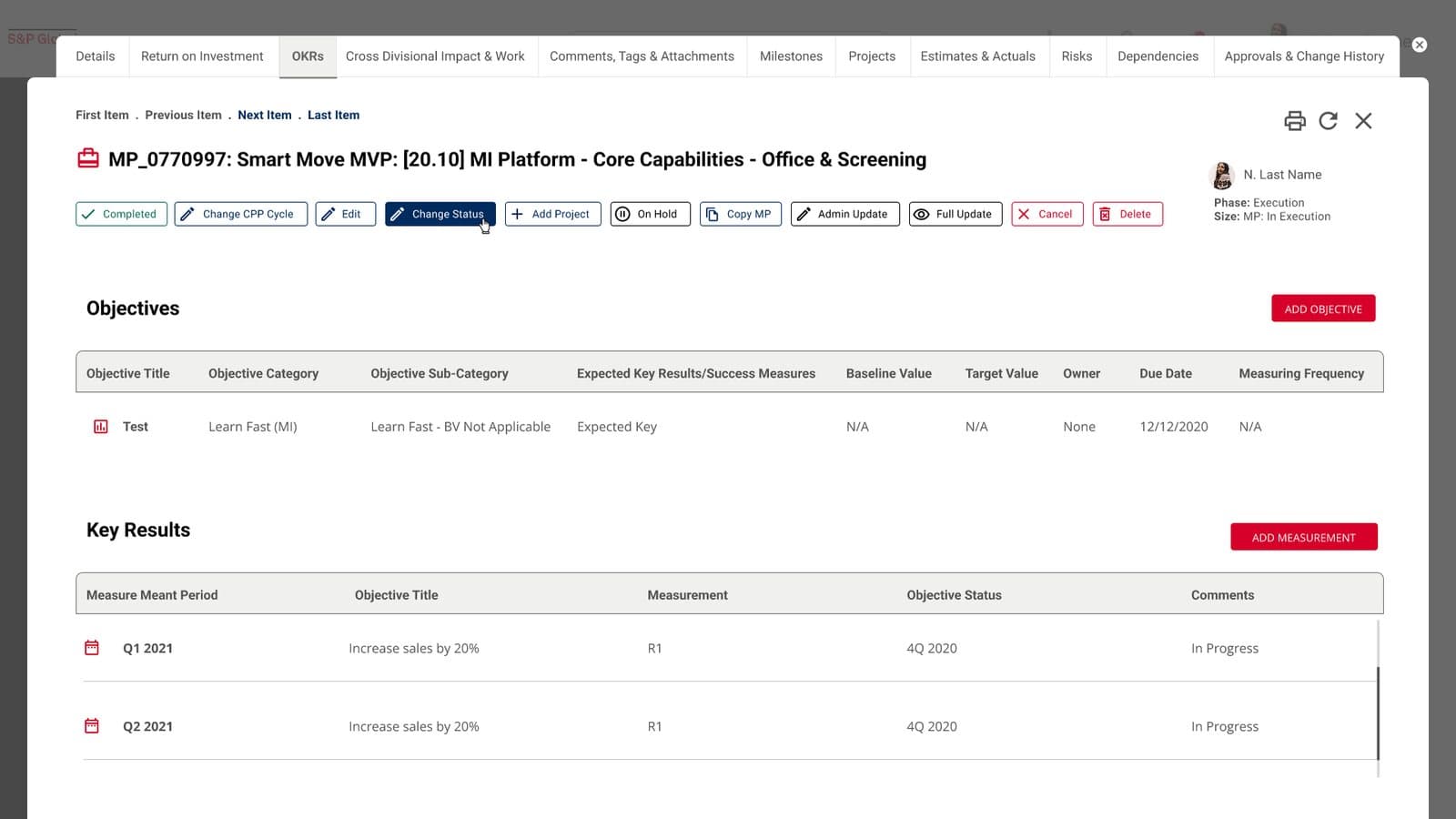
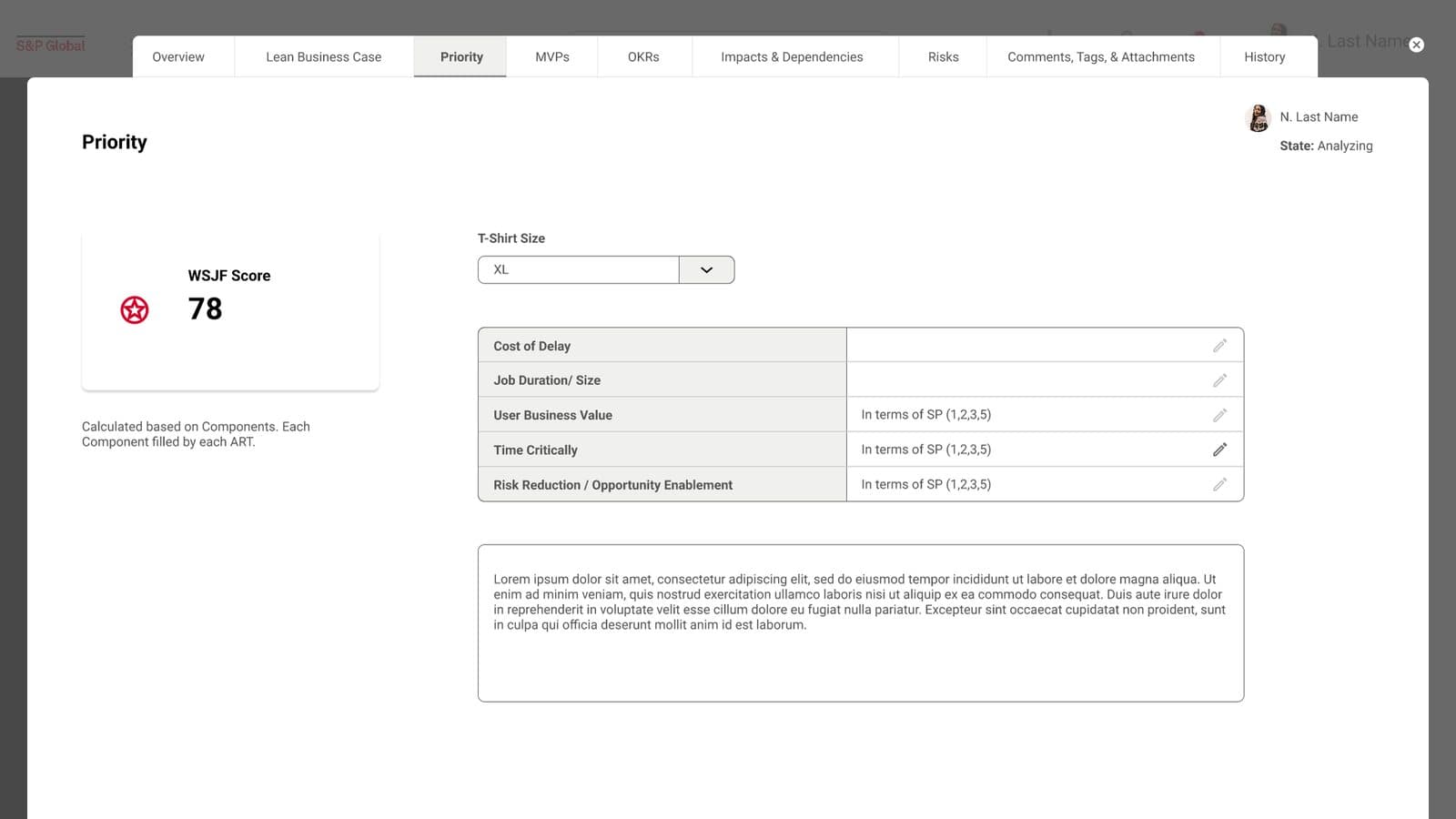
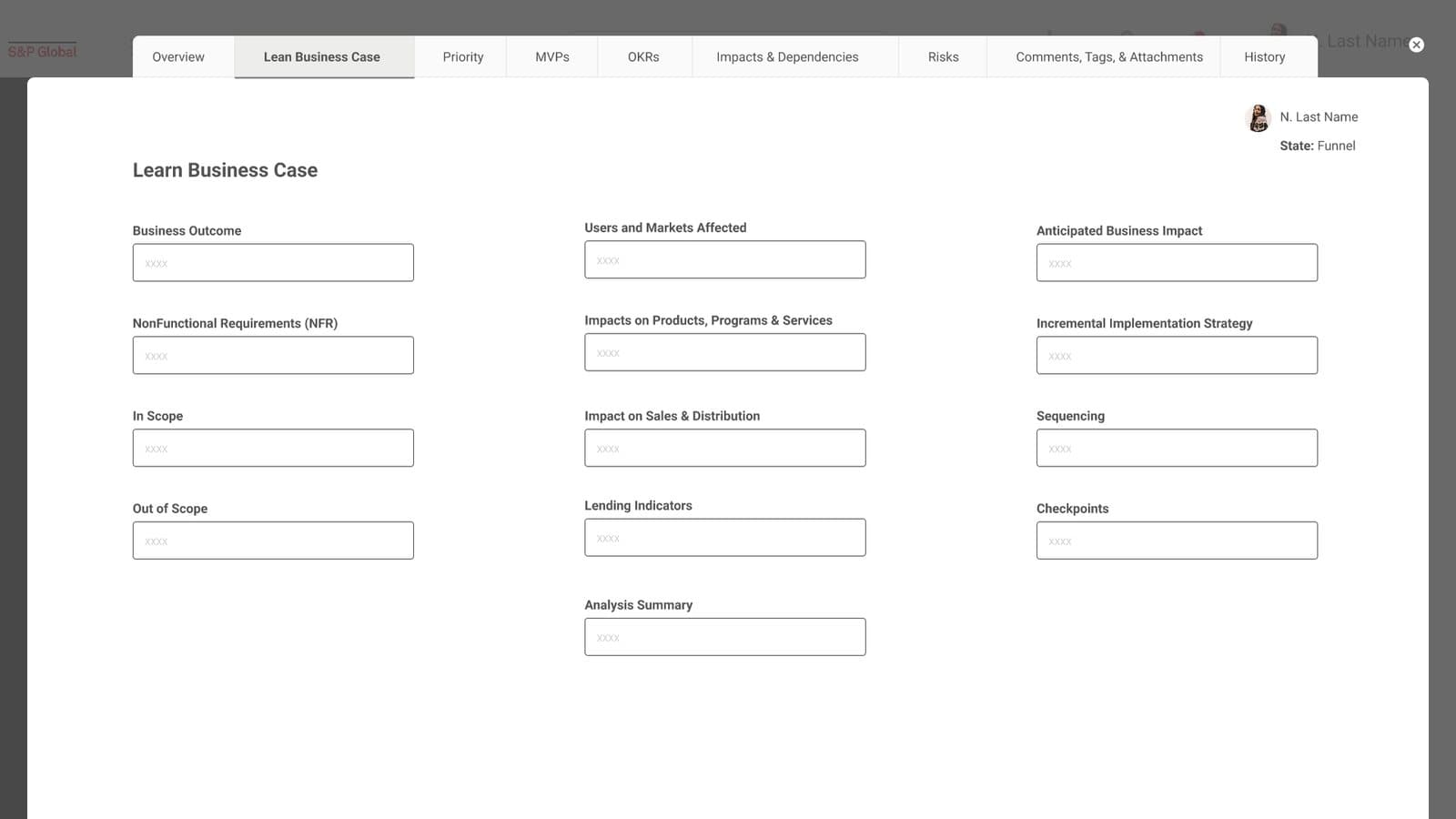
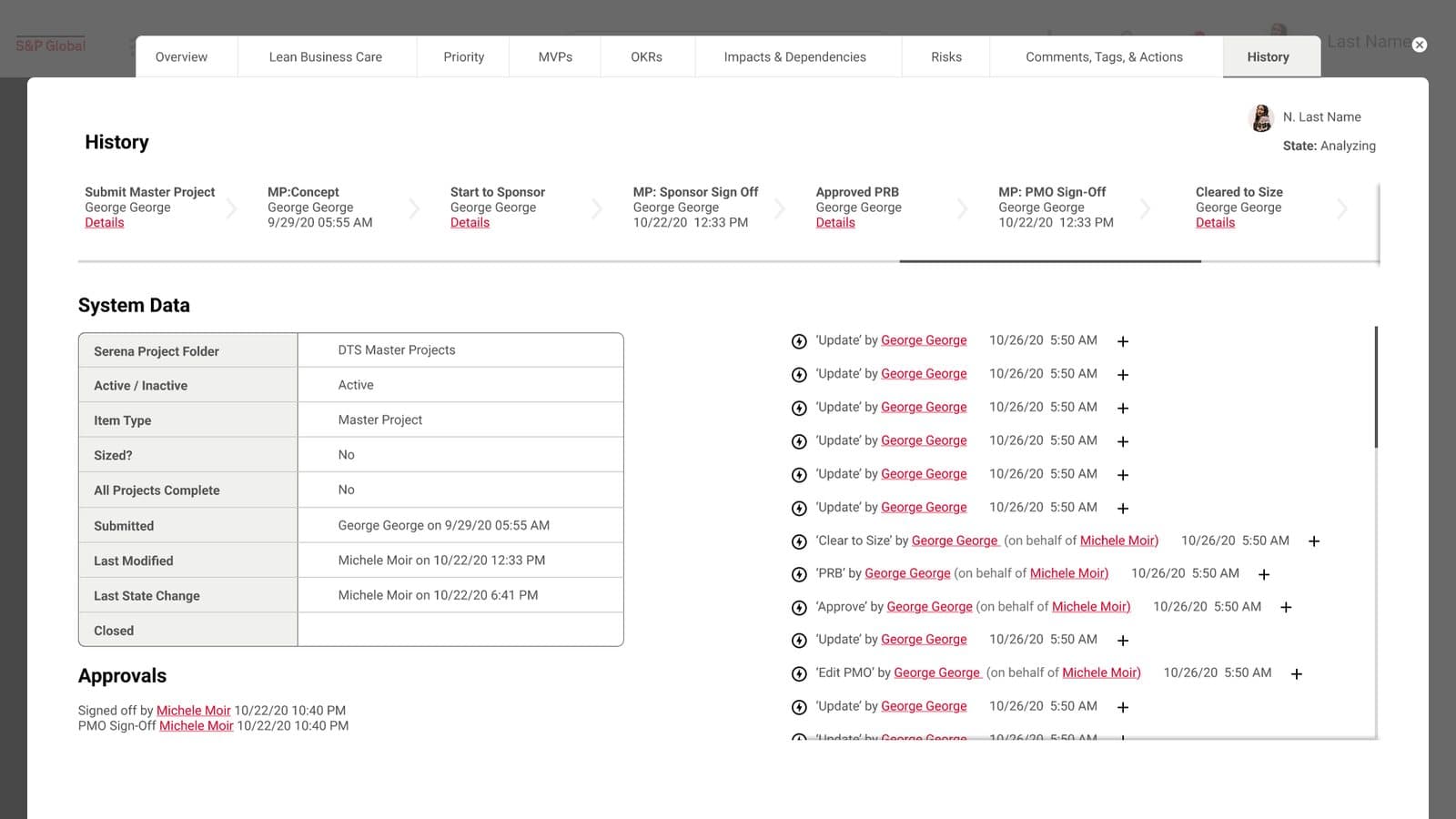
Records opened as a modal over the application with a tab strip floating above it. A master project showed eleven equal buttons in one row, from Completed to Delete. Dropdowns were drawn as five rows reading Select. The lean business case was thirteen boxes reading XXXX. Red did three jobs at once: the primary button, every link, and the icons in the KPI tiles.
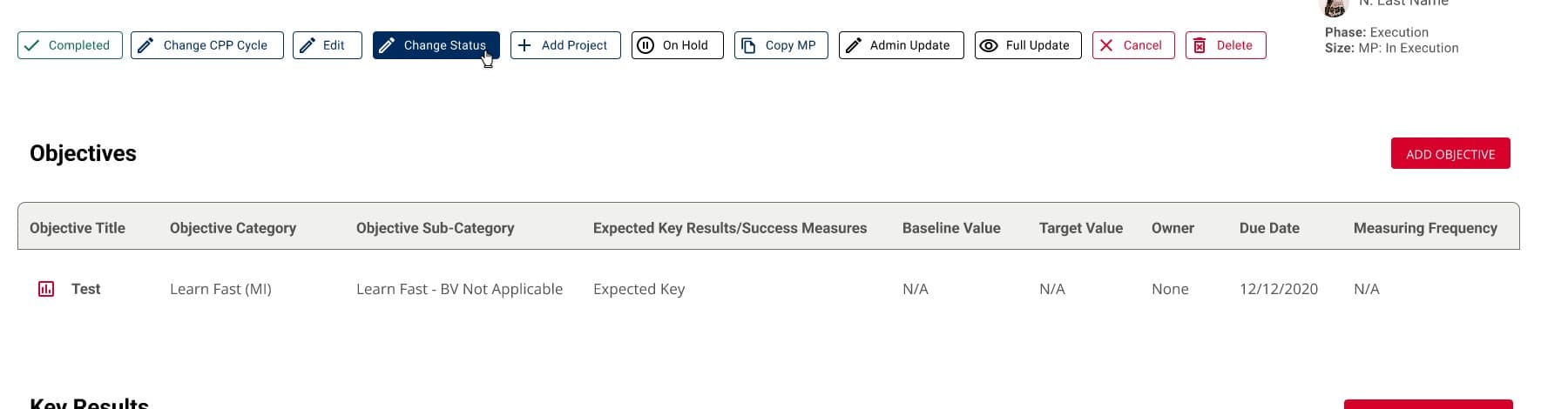
What the file showed
- Eleven equal buttons, including Cancel and Delete, in the same row as Edit
- Four typefaces where one was intended; two weights
- 24 dropdown rows reading Select, 26 fields reading XXXX, 22 lorem ipsum blocks
- Title as a column header 14 times; Planned for Planned twice
- Placeholder text at 31% opacity on white, about 1.9 to 1
frames in the file, all desktop
typefaces in use
buttons in one toolbar
drop shadows
Six changes, each with its reason.
A record is a page, not a modal
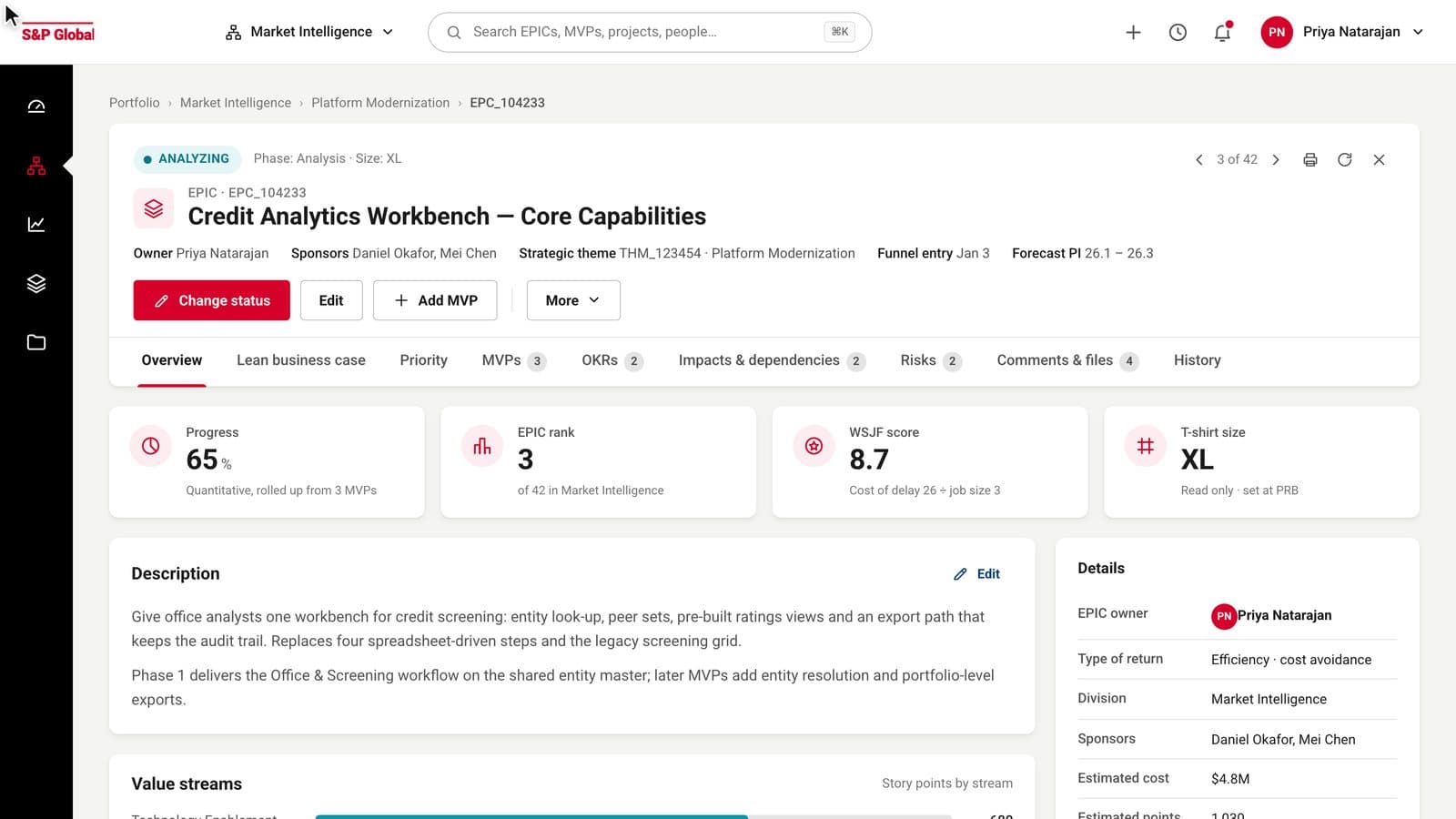
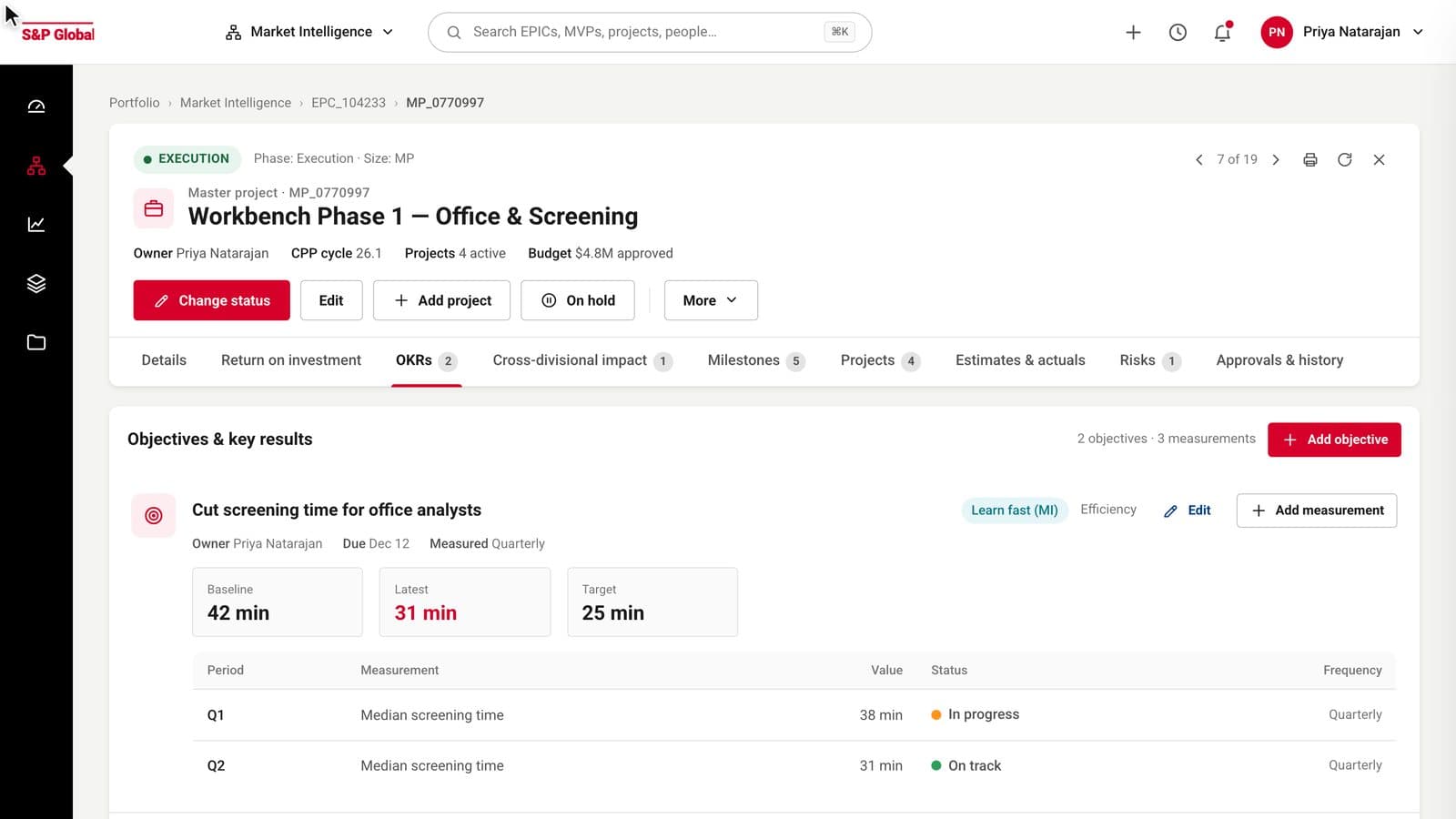
Nine tabs of dense content do not belong in a dialog. The EPIC now has a breadcrumb, a header with its state, owner and actions, and a tab strip that stays put while the content scrolls. The pager, print and refresh controls moved into the header's top right, where the modal's close button used to be.
One primary action per screen
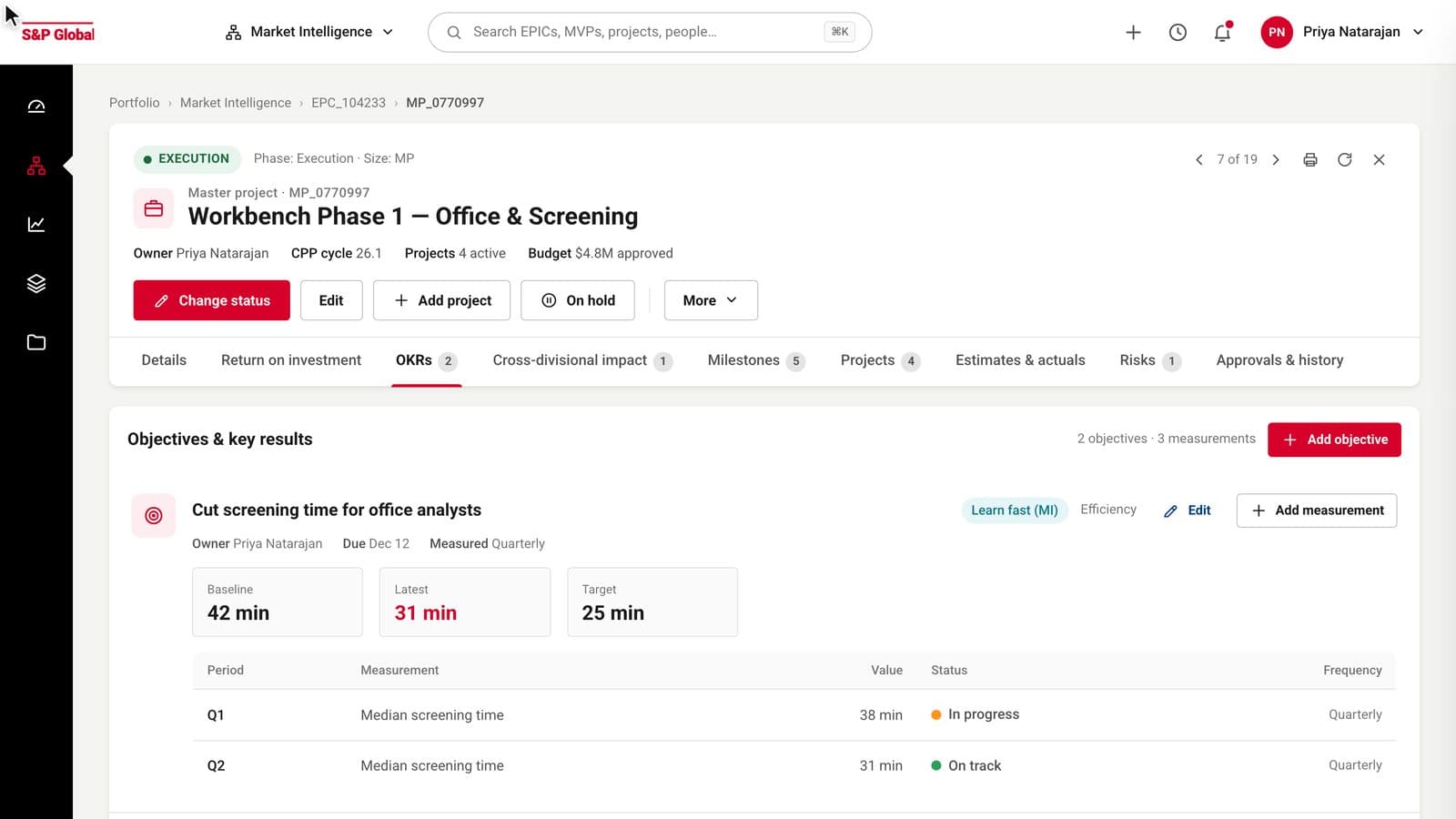
Change status is the thing a record owner does most, so it is the one red button. Edit and Add stay as secondaries. The other eight actions, including Cancel and Delete, live behind More, in the order the old toolbar had them, so nobody has to relearn where they are.
Filters you can read before you open them
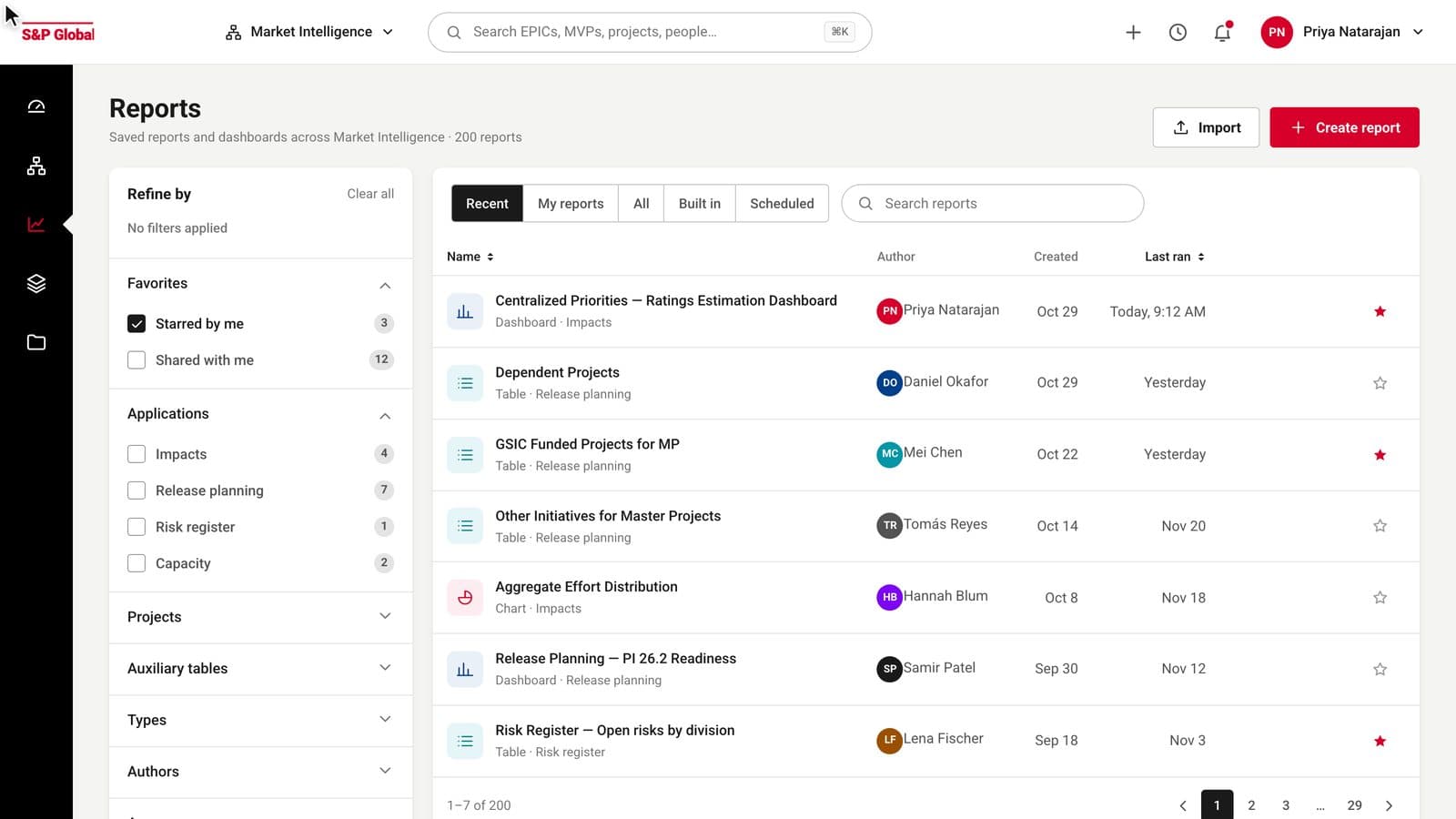
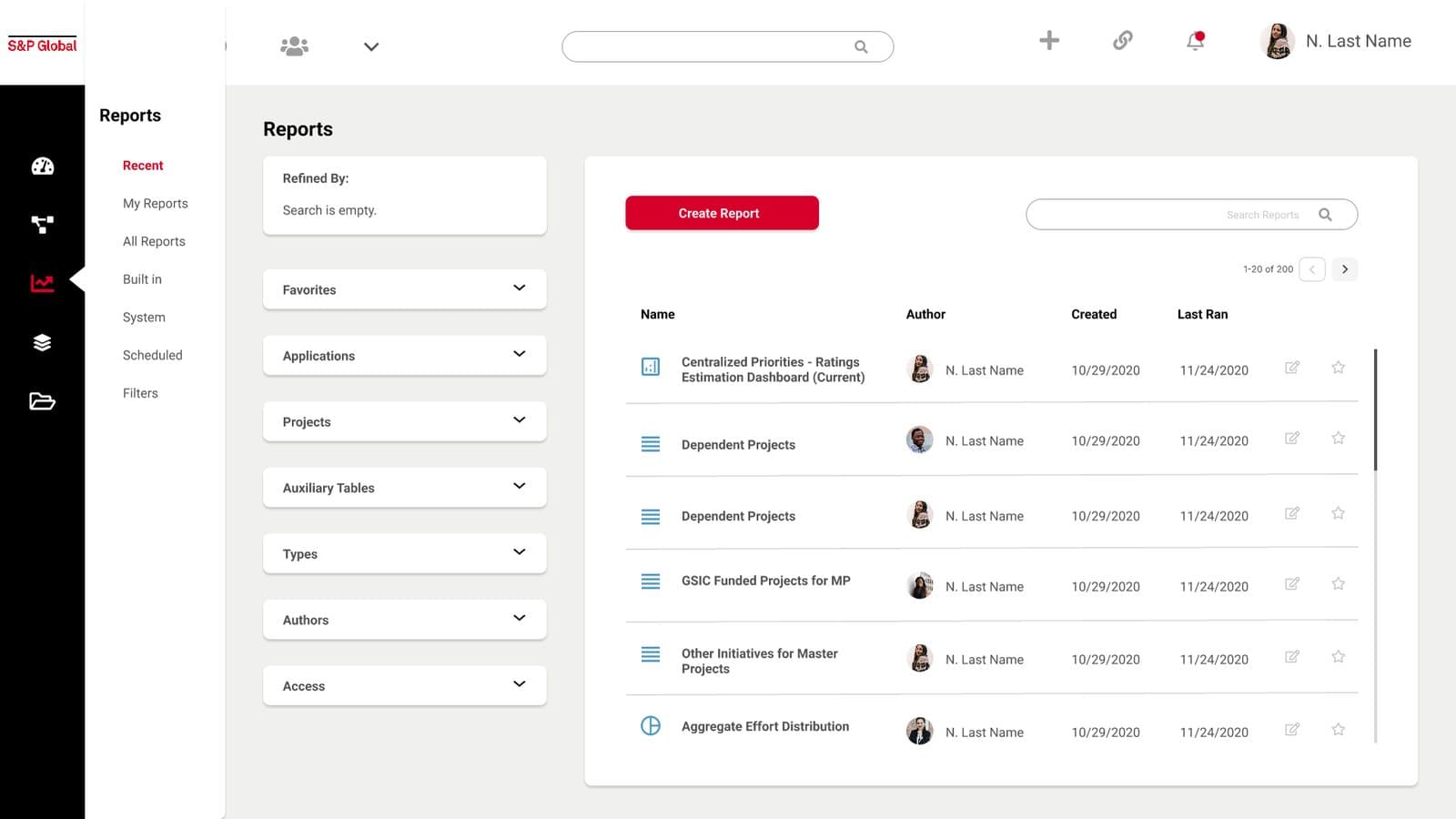
The reports hub's filter panel was a stack of closed accordions with no sign of what was inside. Each section now lists its options with counts, a tick is a tick, and applied filters appear as chips at the top with a Clear all. The results table says how many rows the filter left.
Score by picking, not typing
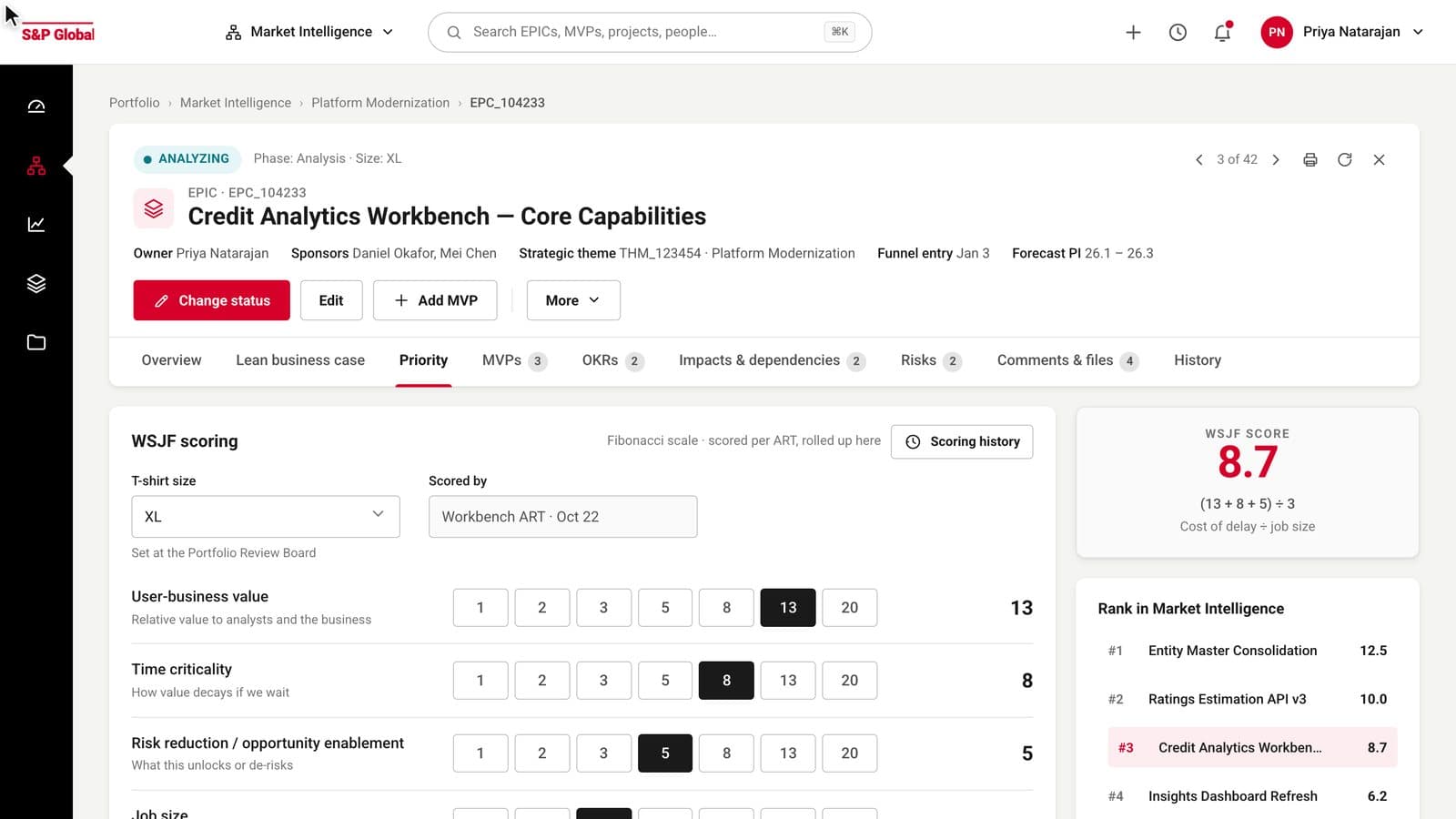
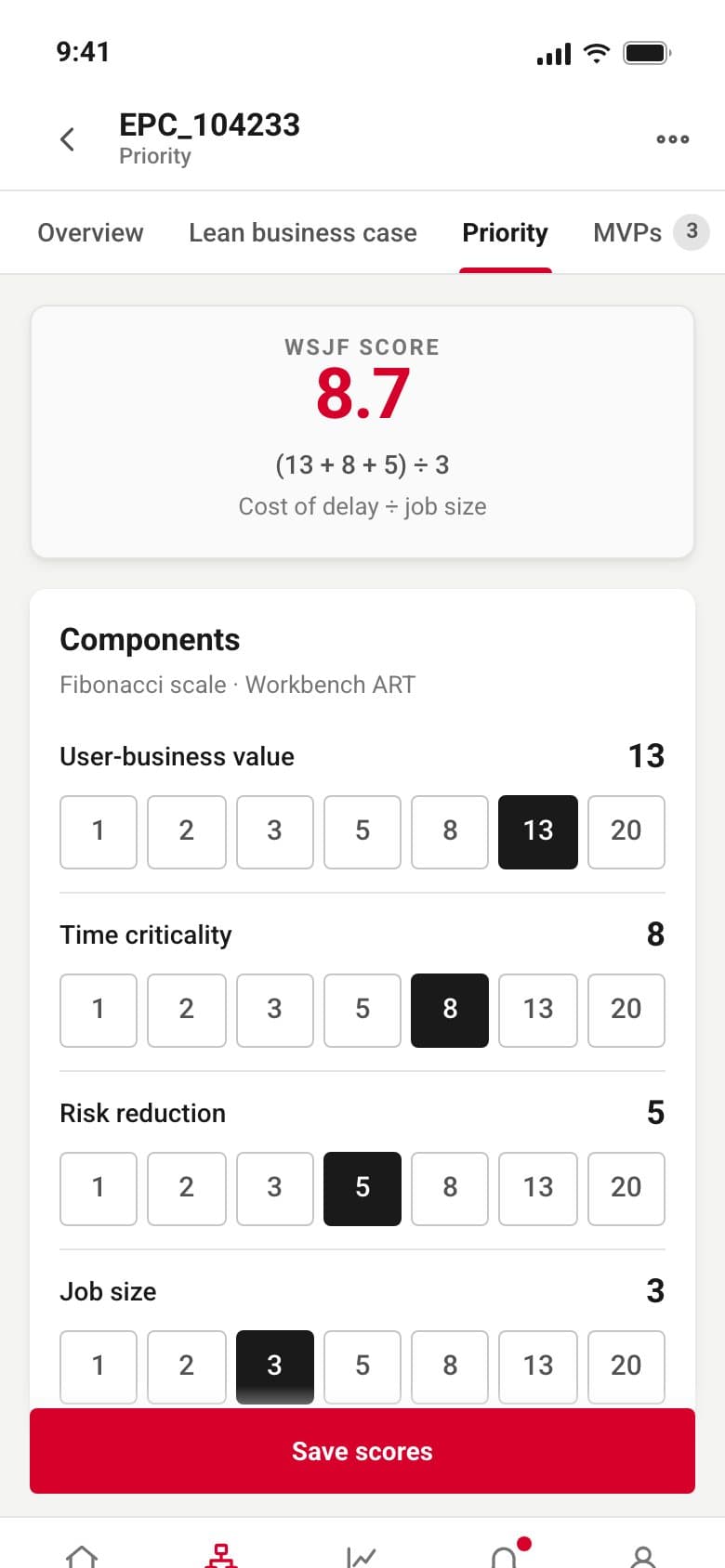
WSJF components are scored on a Fibonacci scale, so the field became a row of seven values to pick from. The cost of delay, the division by job size and the resulting score sit beside the rows and update as a value changes, and the EPIC's rank among its peers moves with it.
A form that shows its own progress
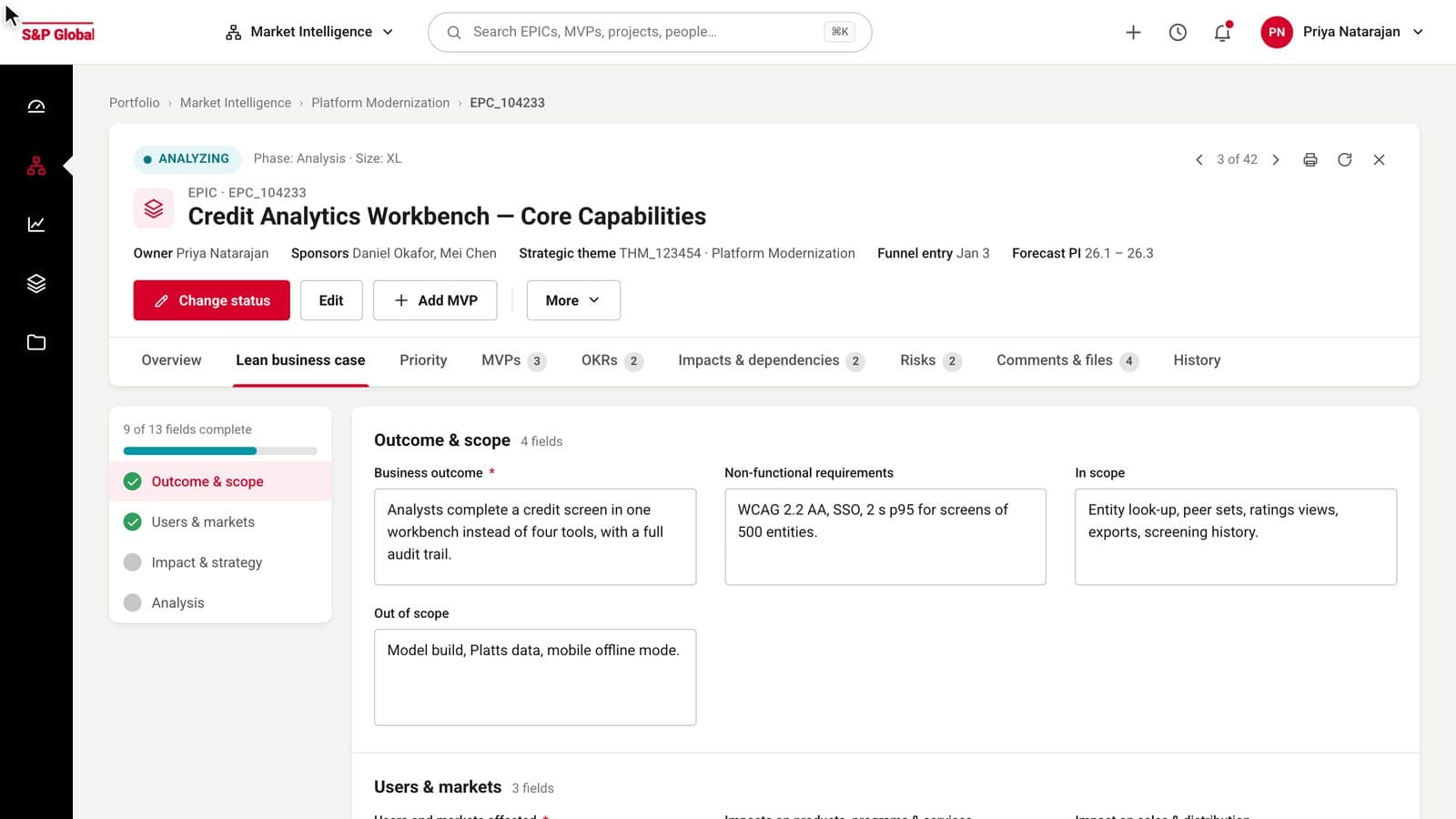
The lean business case had thirteen fields in three columns with no order. They are now grouped into four named sections with a sticky table of contents that shows which sections are complete, required fields marked, and autosave stated at the bottom beside the Save button.
History as a timeline and a log
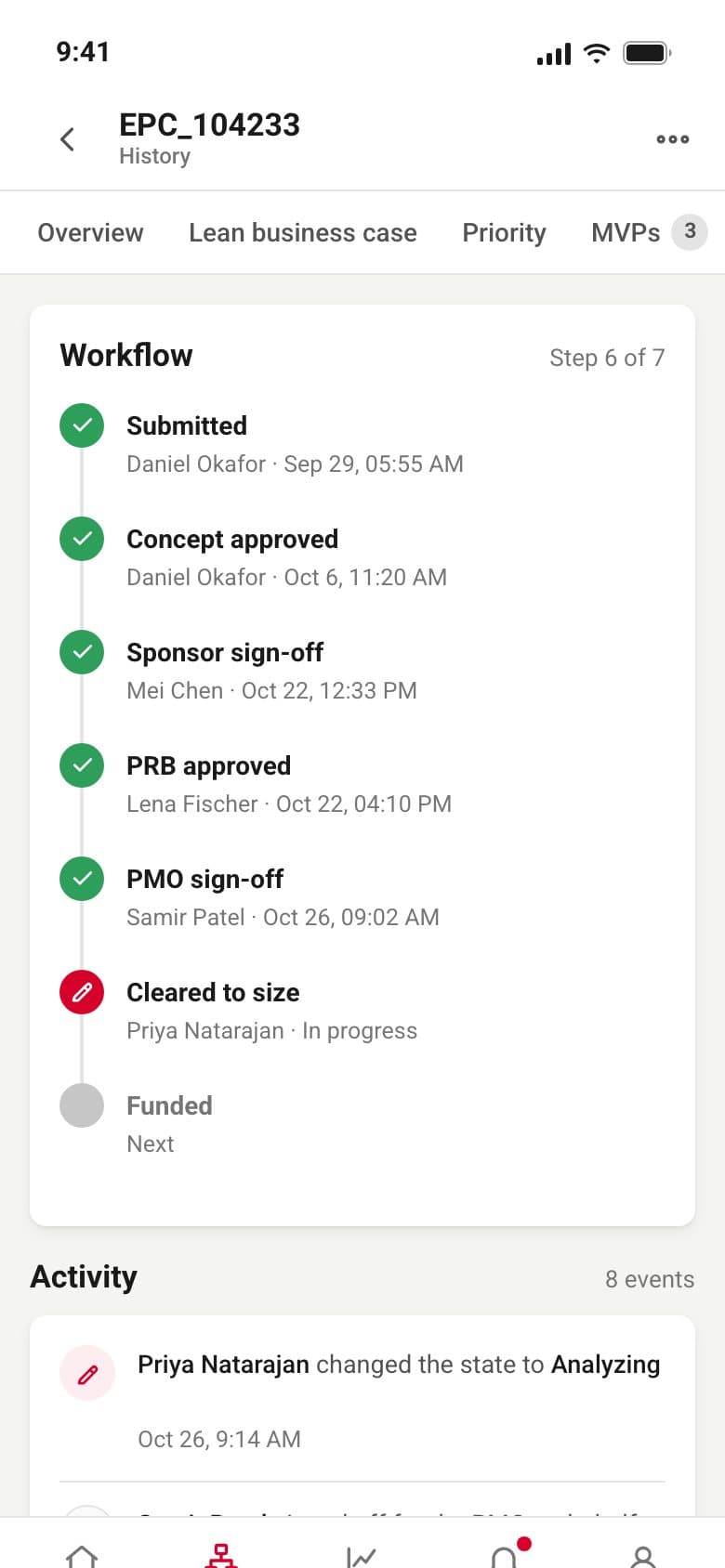
The approval steps were a horizontal strip with red Details links under each one. They are now steps with a colour per state, done, current and next, over an activity log where each event says who did what and when, filterable by changes, approvals or comments.
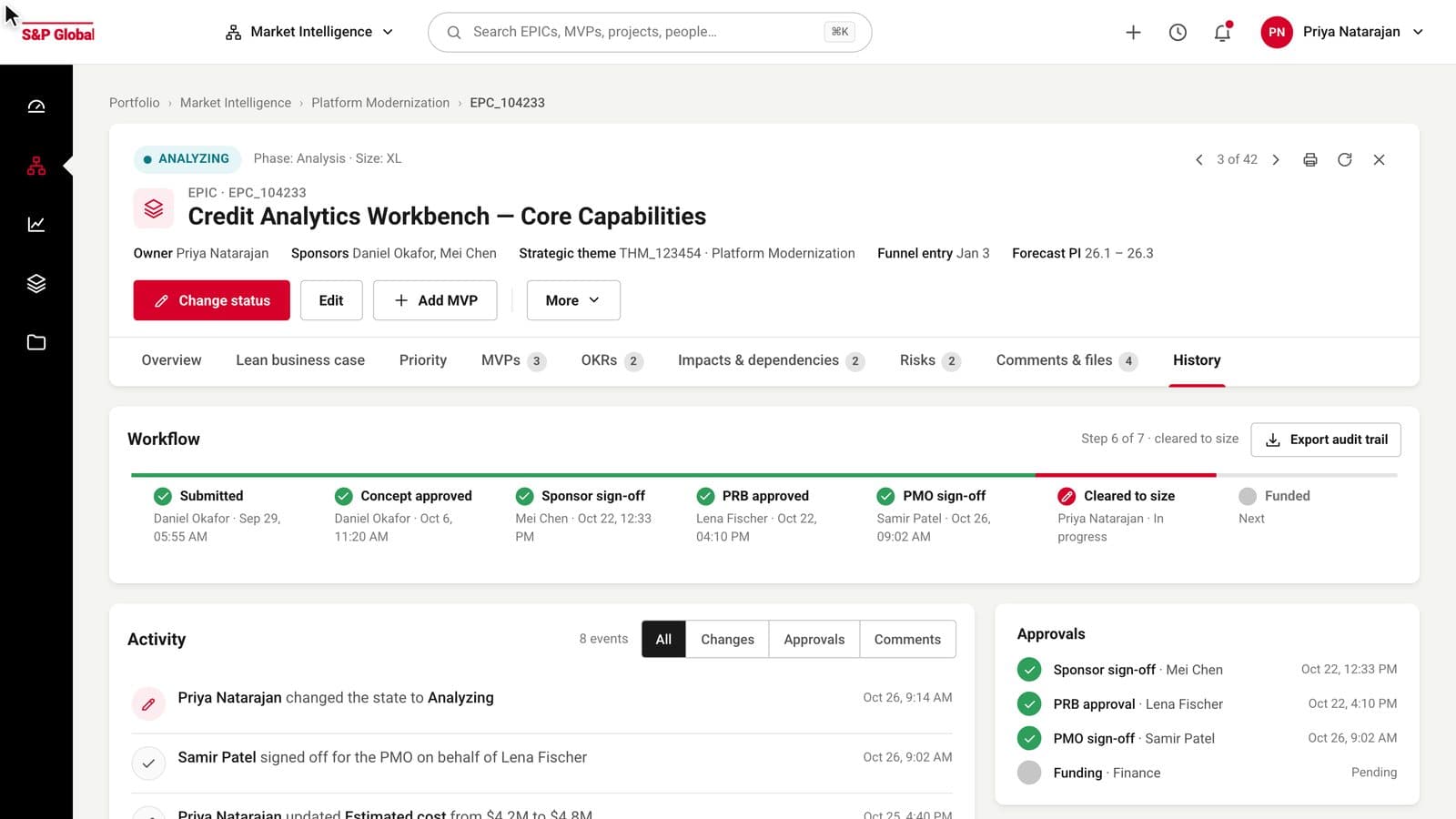
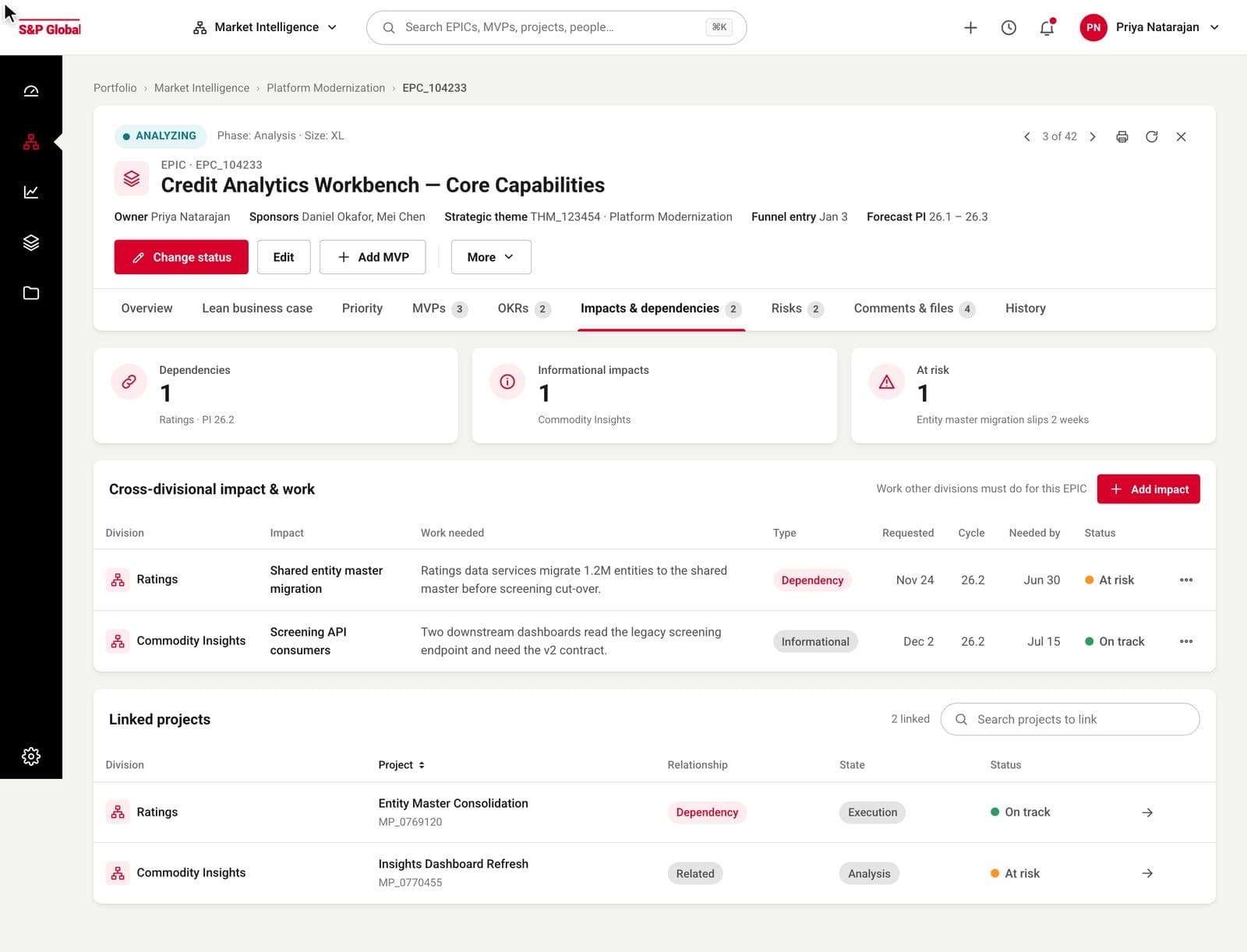
Nine tabs, one header, no modal.
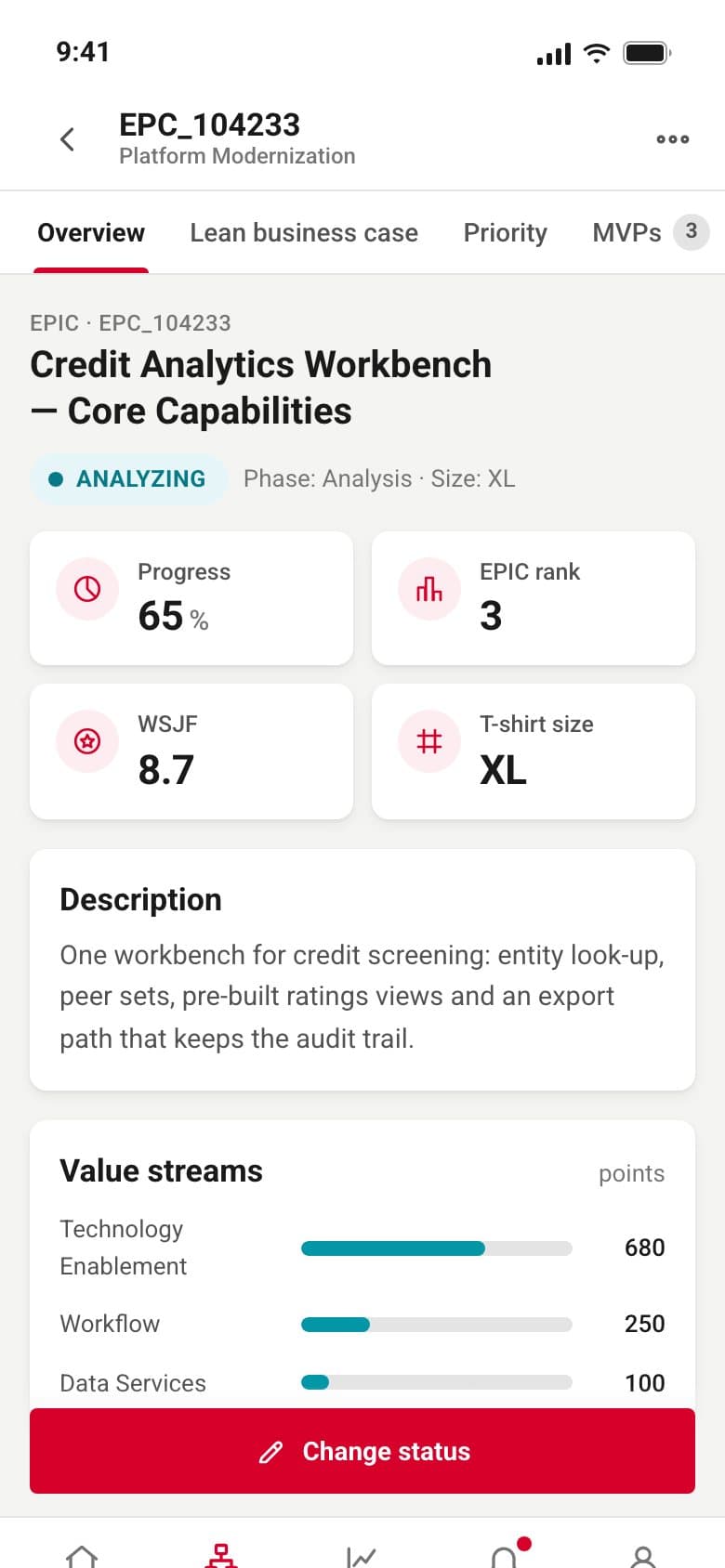
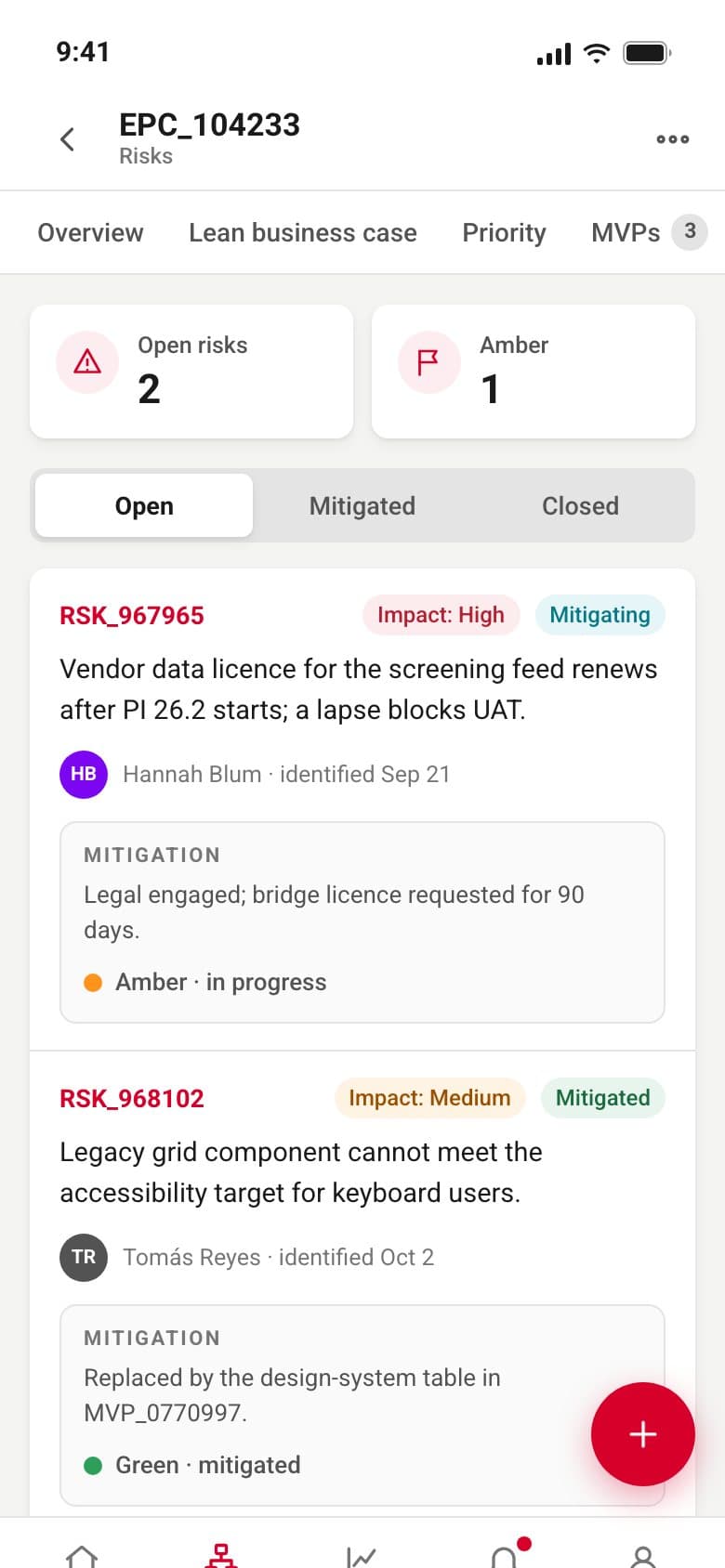
The header is the same on every tab: state first, then the type and ID, the title on one line, the owner, sponsors, theme and forecast PI, then the actions. The tabs carry counts, so a reviewer can see there are three MVPs and two open risks before opening either.
KPI tiles put the label above the number, the number in Roboto Bold 28 with tabular figures, and the reason underneath: 8.7 is cost of delay 26 over job size 3. The original tiles had the icon beside the number and no explanation.
The score moves while you watch.
Time criticality goes from 8 to 13 and the score goes from 8.7 to 10.3 in the panel beside it, then the EPIC trades places with the one above it in the rank list. The same control is on the phone, where the scale buttons are 40 px tall and the save button sits above the tab bar.
A form that slides in instead of taking over.
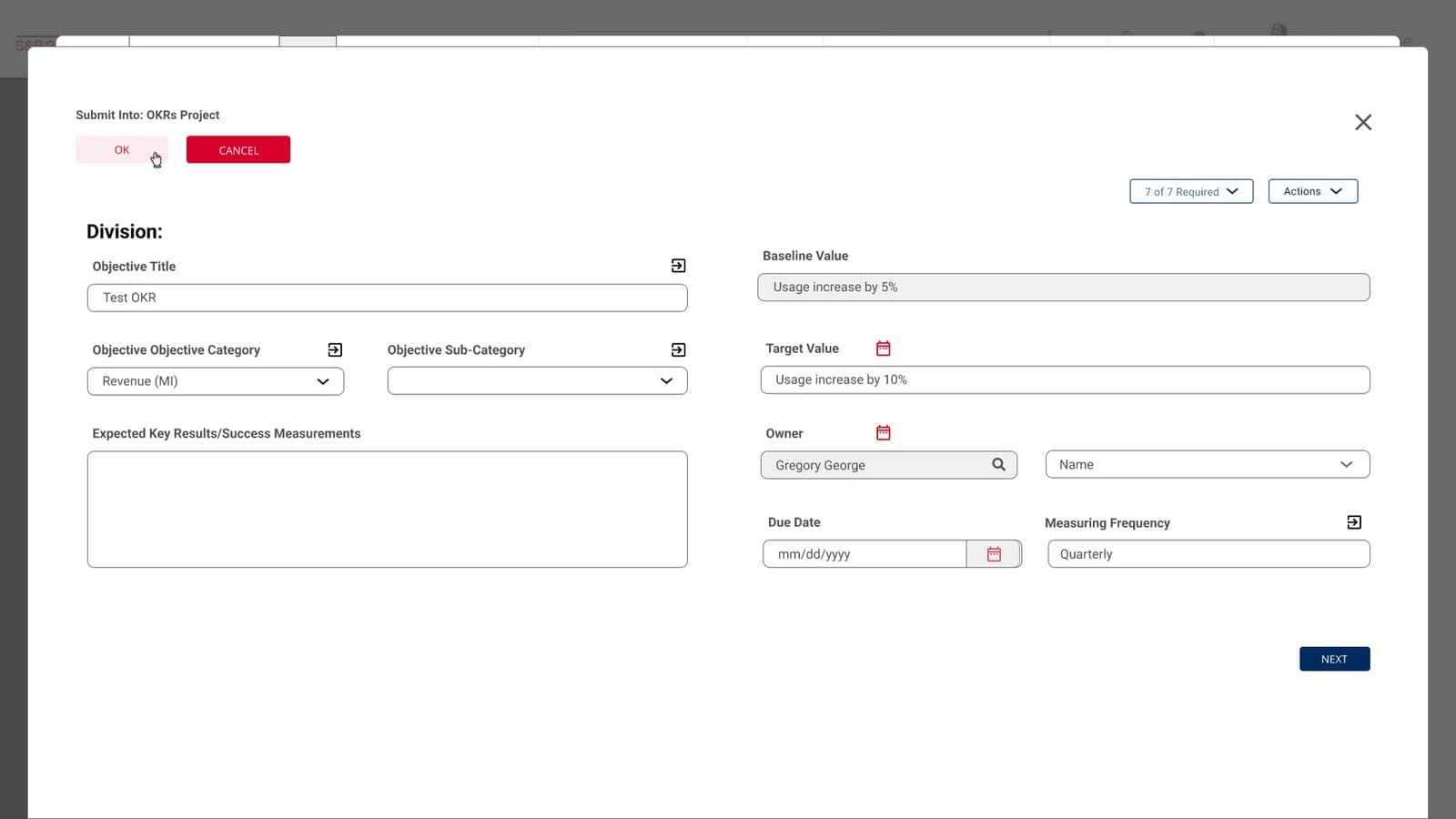
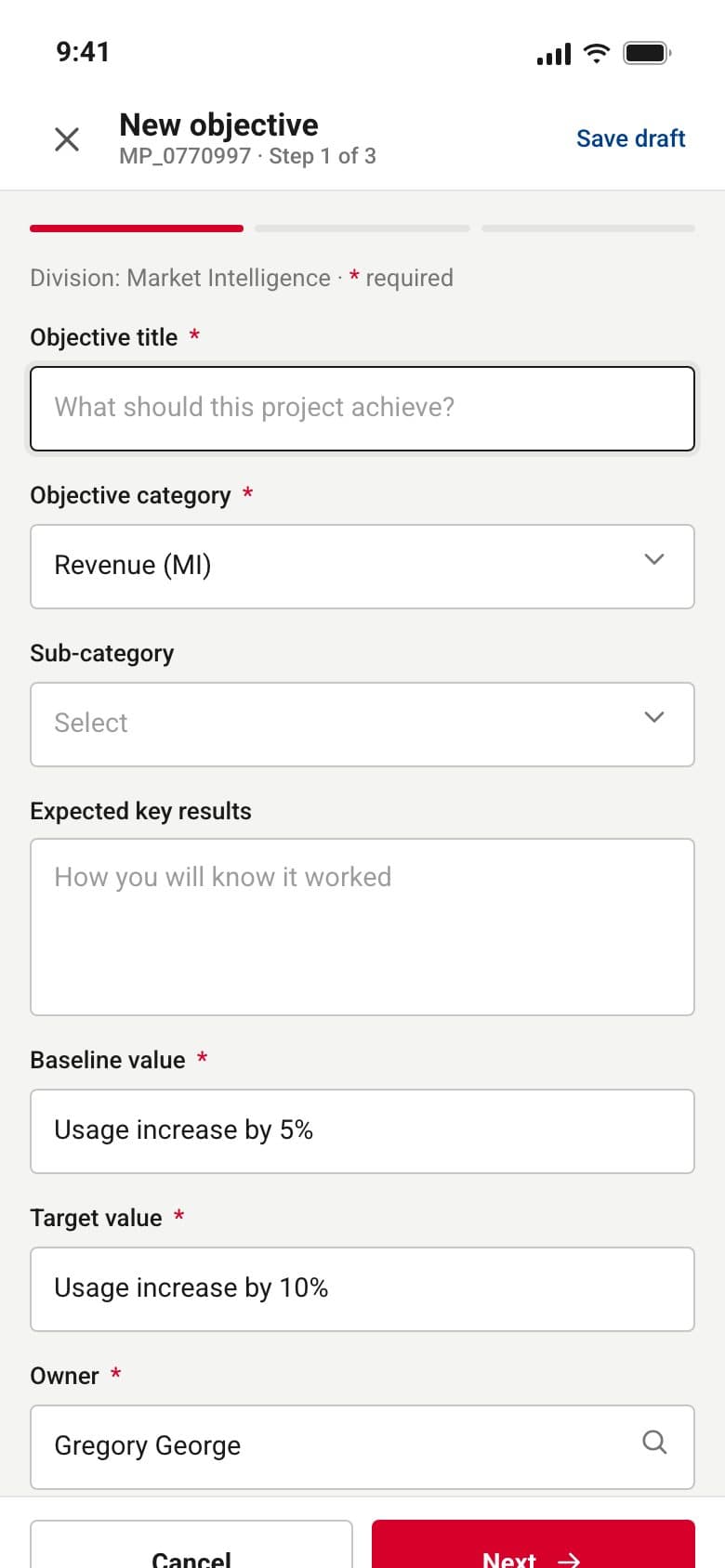
Adding an objective used to open a second full-screen dialog over the first. It is now a panel from the right: the record stays visible behind it, the three steps are shown as a progress bar, required fields are marked, and the footer counts how many of the seven required fields are done. On the phone the same form is a full screen with Cancel and Next fixed at the bottom.
Twelve phone screens the file never had.
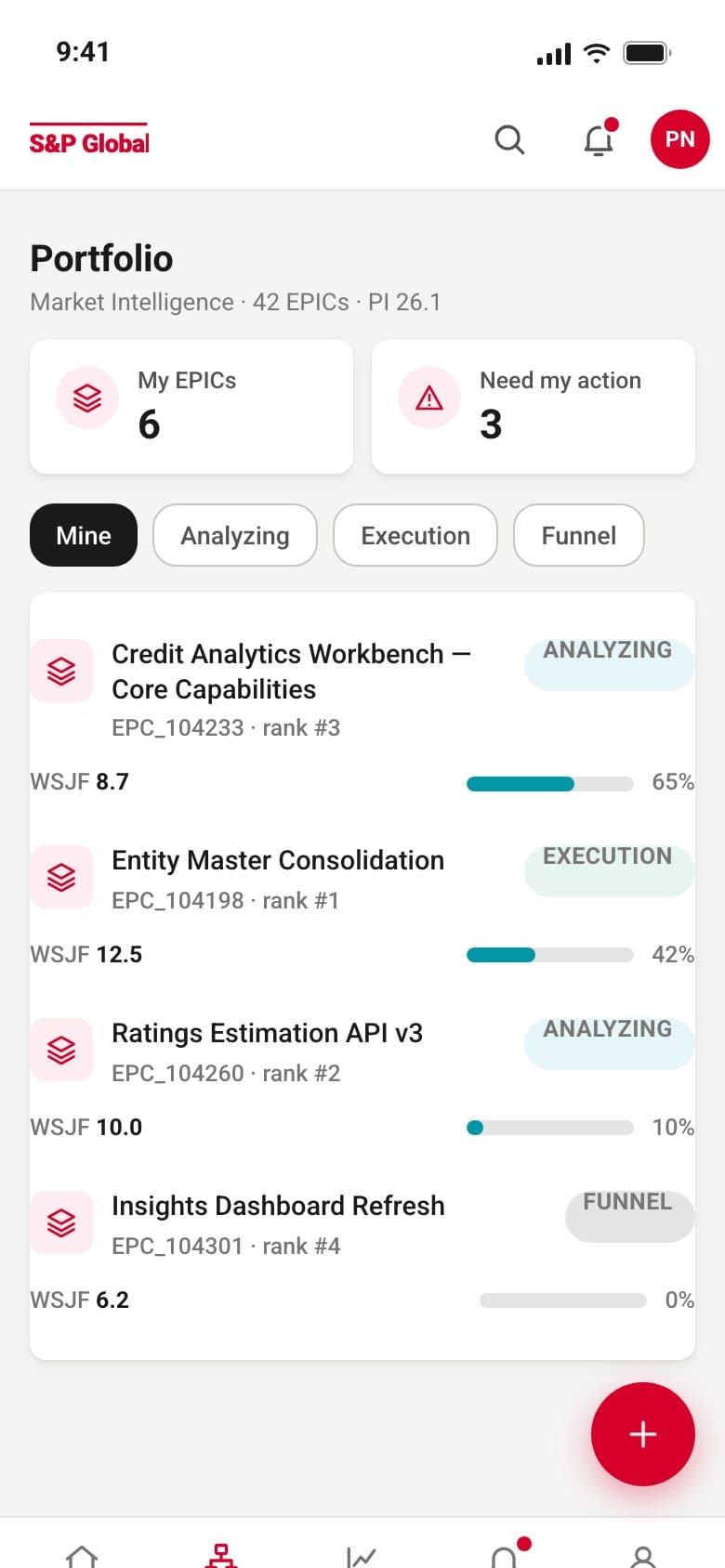
The phone companion covers what a portfolio owner checks away from a desk: the records they own, a record's score and risks, an approval in the history, and the reports hub. It uses the same tokens and the same components as the desktop pages, with a bottom tab bar, a sticky primary action and bottom sheets for filters.
The palette it already had, given roles.
Nothing was added to the palette except a green for the RAG status, which the original drew as a blue dot. What changed is what each colour is for. Red is the primary action and the active rail item. Links use the dark blue the master project screen already had. Teal marks a selected row or a progress bar. Grey #535353 stays the text colour at 7.7 to 1, and #767676 was added for helper text at 4.5 to 1, replacing placeholders drawn at 31% opacity.
Type stays Roboto at sizes close to the original: 26 for page titles, 20 and 17 for sections and cards, 15 for body, 13 for labels. Medium was added for labels and row titles. Every number in a table or a KPI is tabular and right-aligned. The three radii in the file, 4, 9 and 21, each got one job: fields and buttons, cards, the search pill.
text grey #535353 on white
S&P red on white, AA for text
placeholder contrast, before to after
minimum control height on desktop, 46 on phones
What stayed, what moved, what is still open.
What stayed
- S&P red, black, the grey ramp and teal
- Roboto, Regular and Bold
- Every label and SAFe term
- The nine EPIC tabs and the eleven master project tabs
- Cards at 9 px, fields at 4 px, the search pill at 21 px
What moved
- Records from a modal to a page with a sticky header and tabs
- Eleven buttons to one primary, three secondaries and More
- Numbers to the right, text to the left, counts into the tabs
- Fields under their labels, grouped and marked required
- Red off the links; a word next to every status colour
Not measured
- No user testing was run on the refresh
- Contrast ratios are computed, not observed
- Counts come from the file and the rebuilt screens
- Adoption and task times are unknown
Fifteen desktop screens and twelve phone screens now share one set of parts, and a reviewer can tell a page's state, owner and open items from its header. The brand did not change. The amount of looking it takes to find a number did.